KAMRUI Pinova P2 Mini PC Review (16GB / 512GB) – Intel i5-12600H Power in a Tiny Desktop

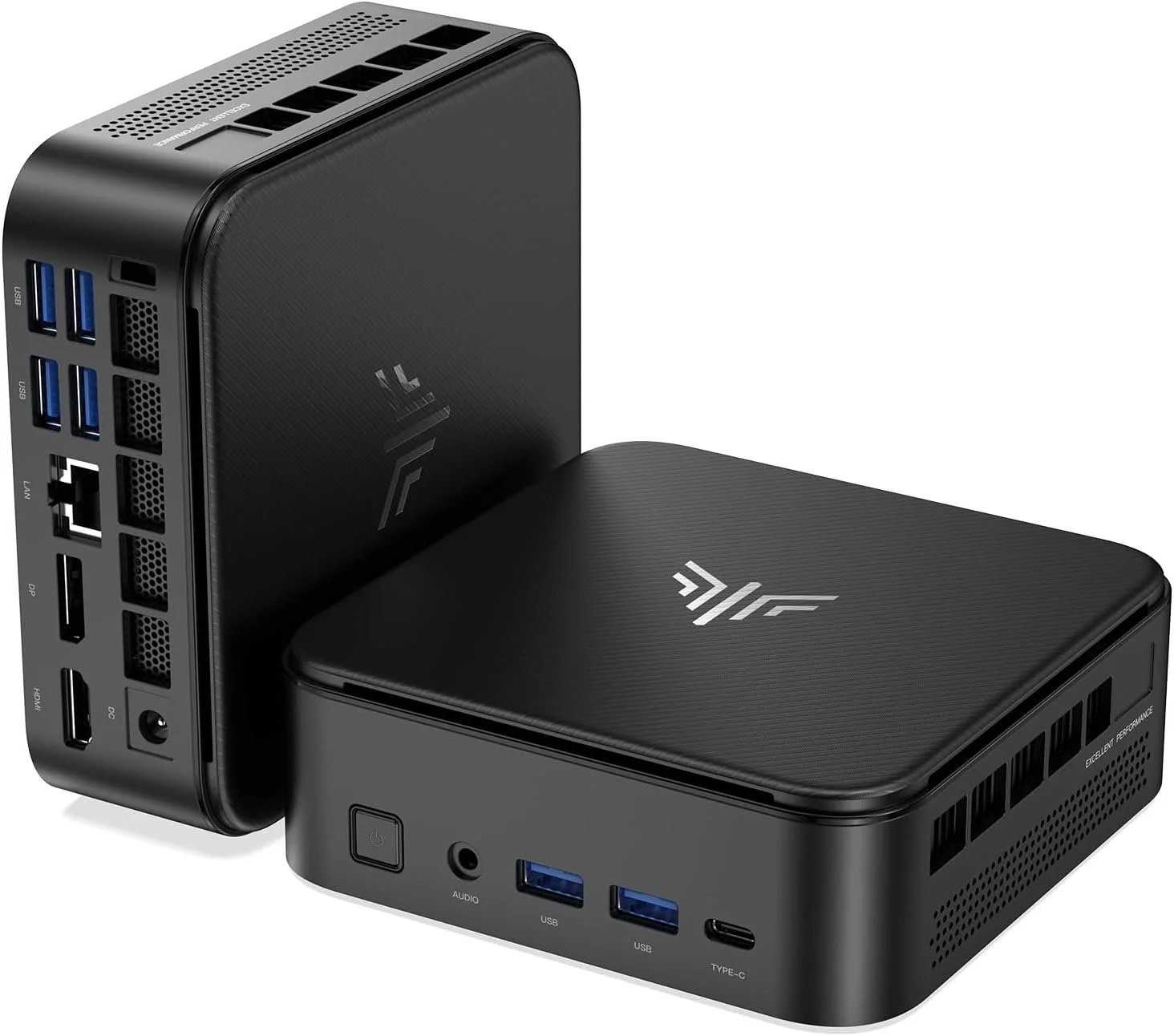
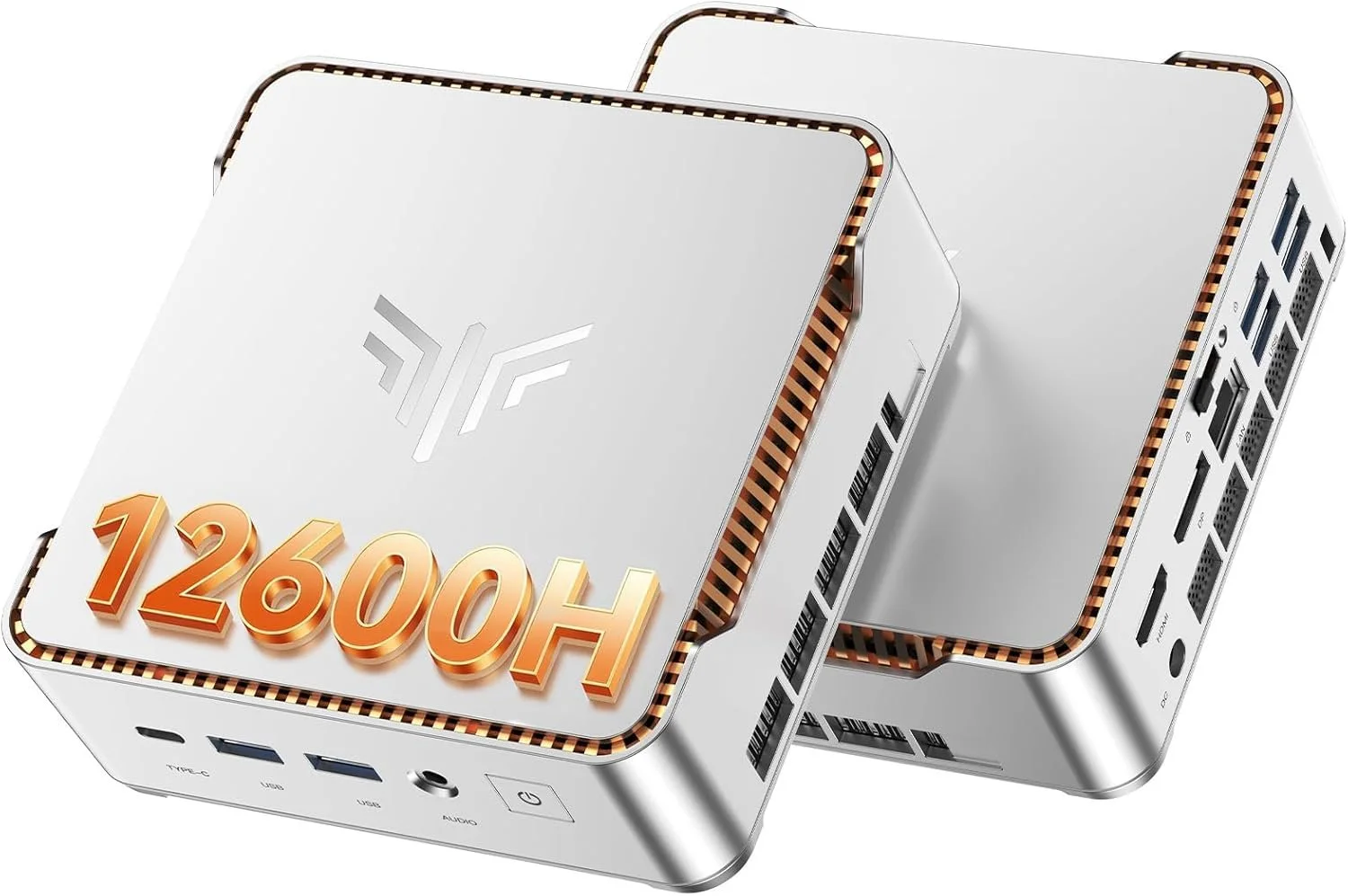
If you’ve been looking for a mini PC that actually performs like a real desktop, the KAMRUI Pinova P2 Mini PC (16GB RAM / 512GB SSD) deserves serious attention.

This is not one of those ultra-low-power office boxes. Inside this compact metal chassis is an Intel Core i5-12600H, a 12-core, 16-thread processor that boosts up to 4.5GHz. That is a legitimate laptop-class CPU, and it completely changes what you can expect from a mini PC at this size and price.


Core Specs – KAMRUI Pinova P2 (16GB / 512GB)

  • CPU: Intel Core i5-12600H (12 cores, 16 threads)

  • RAM: 16GB DDR4 dual channel

  • Storage: 512GB NVMe PCIe SSD

  • Graphics: Intel Iris Xe

  • Networking: Wi-Fi 6 + Bluetooth 5.2 + Gigabit Ethernet

  • Display Support: Up to triple 4K @ 60Hz

  • OS: Windows 11 Pro

  • Expandable Storage: Additional M.2 slot

For productivity, homelab use, light gaming, emulation, and content creation, this is a very capable configuration.
Real Performance Expectations

The i5-12600H is the star of the show here. With its hybrid core design, you get strong single-core performance for everyday tasks and plenty of multi-core power for heavier workloads.

This mini PC feels fast in real use:

  • Smooth multitasking with dozens of Chrome tabs

  • Video playback and streaming with zero issues

  • Light photo and video editing

  • Emulation and light gaming

  • Plex server or home server use

  • Office and business workloads

If you are upgrading from an older 8th or 9th gen Intel desktop, you will absolutely feel the jump in responsiveness.

Stability Testing – OCCT Pro Certified

I stress tested this unit using OCCT Pro, running sustained CPU, memory, and power load testing. The system completed extended stress testing with zero errors and earned a System Platinum Stability Certificate.

That means no crashes, no throttling issues, and no instability under heavy load during testing.

You can learn more about OCCT Pro here:
https://www.ocbase.com/occt/pro

For a compact mini PC, passing extended stability testing is a big deal.

Who This Mini PC Is For

This KAMRUI Pinova P2 makes sense for:

  • Home office setups

  • Students who want real performance

  • Homelab builders

  • Plex server users

  • Small business deployments

  • Clean minimalist desk setups

  • Anyone who wants desktop power without a giant tower

It is especially compelling if you want strong CPU performance without stepping into full custom desktop pricing.

Ports and Expandability

You get a very usable port selection, including HDMI, DisplayPort, USB-C, and multiple USB 3.2 ports. It supports up to triple 4K displays at 60Hz, which makes it excellent for productivity and trading setups.

Inside, there is room for storage expansion via an additional M.2 slot, which is always something I look for in mini PCs.

Final Thoughts

The KAMRUI Pinova P2 16GB / 512GB configuration hits a sweet spot.

You get a real 12-core i5 processor, enough RAM for serious multitasking, fast NVMe storage, Wi-Fi 6, Windows 11 Pro, and strong stability under load. In this price bracket, that combination is hard to beat.

If you want something small but legitimately powerful, this is one of the more interesting mini PCs available right now.

Check current price and availability here: https://amzn.to/4kkkq4u
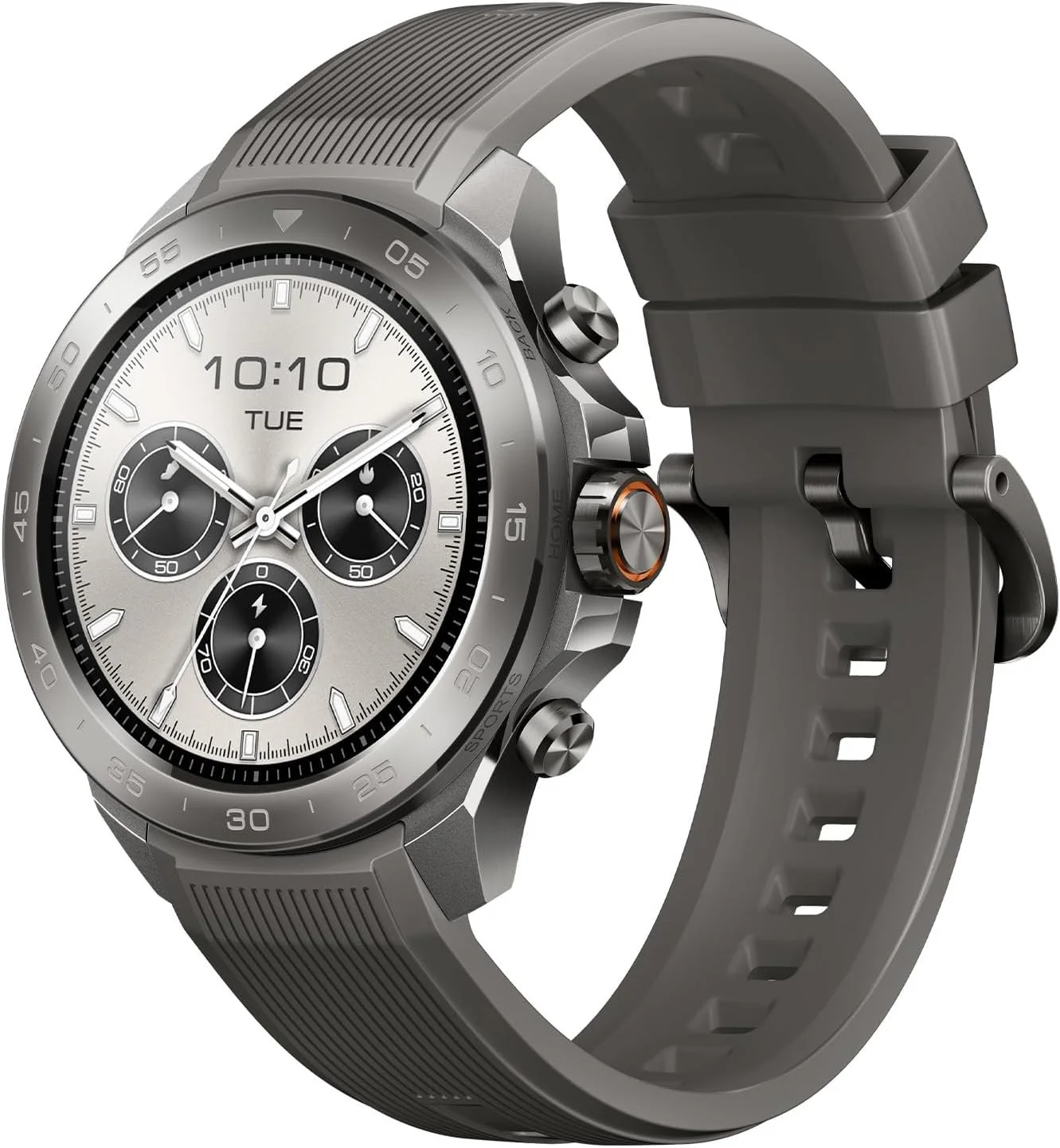
Mibro GS Explorer S Titanium Review: Rugged GPS Smartwatch Built for Real Adventure

If you’re looking for a rugged outdoor smartwatch without paying ultra premium prices, the Mibro GS Explorer S Titanium might surprise you.

This watch brings aerospace grade titanium construction, 10ATM waterproofing, dual frequency GNSS, offline maps, Bluetooth calling, and up to 20 days of battery life into one seriously tough package.

But does it actually perform in the real world?

Let’s break it down.

Built Like a Tank: Titanium Construction

The GS Explorer S features an aerospace-grade titanium alloy body. That means you get the durability and hardness you’d expect from serious outdoor gear, but without the weight penalty of traditional stainless steel watches.

It feels solid. Buttons are tactile. The case has a rugged industrial design that looks purpose-built for hiking, off-road travel, climbing, or water sports.

If you want something that looks and feels like it belongs outdoors, this delivers.

10ATM Waterproof with Bluetooth Calling

This is one of the more impressive features.

The Mibro GS Explorer S is rated for 10ATM water resistance, which means it is built for swimming, surfing, snorkeling, and even freediving up to 30 meters.

What makes it unique is that it still supports Bluetooth calling. High water resistance and built in speaker systems usually do not mix, but Mibro engineered a waterproof speaker design that keeps audio clear while maintaining durability.

For an outdoor smartwatch in this price range, that is not common.

Bright AMOLED Display Built for Sunlight

The watch features a 466x466 AMOLED display with up to 1500 nits of peak brightness.

Translation: it gets bright. Very bright.

In direct sunlight, it remains readable. The 60fps refresh rate keeps animations smooth, and colors are vibrant without looking oversaturated.

If you spend time outdoors, screen brightness matters more than you think.

Dual Frequency GNSS and Offline Maps

This is where the GS Explorer S starts feeling serious.

It supports dual frequency GNSS with L1 and L5 bands. That means improved signal accuracy and better tracking in difficult environments like mountains, forests, or near buildings.

It also supports offline maps. You can download maps to the watch and navigate without cell service. That makes it legitimately useful for hiking and backcountry travel.

You also get route following, deviation alerts, and return navigation.

This is not just a step counter pretending to be an adventure watch.

Battery Life That Actually Lasts

Battery performance is strong:

  • Up to 20 days in daily mode

  • Up to 50 days in basic mode

  • Around 25 hours in GPS mode

For multi day trips, that matters. You are not charging this every night unless you want to.

150+ Sport Modes and Health Tracking

The GS Explorer S includes:

  • 150+ sport modes

  • Heart rate monitoring

  • Blood oxygen tracking

  • Sleep monitoring

  • Stress tracking

  • Training data

It also syncs with Strava, Google Fit, and Apple Health.

For runners, hikers, cyclists, and general fitness users, it covers the essentials.

Who Is This Watch For?

The Mibro GS Explorer S Titanium is ideal for:

  • Outdoor enthusiasts who want rugged durability

  • Budget-conscious buyers who still want serious features

  • Anyone who needs offline navigation

  • People who want strong battery life

  • Those looking for a Garmin alternative without the Garmin price

It is not trying to be a luxury smartwatch. It is trying to be a tough, functional, athletic tool.

And at this price point, it is extremely competitive.

Final Verdict

The Mibro GS Explorer S Titanium punches above its weight.

You get titanium durability, 10ATM waterproofing, dual band GPS, offline maps, bright AMOLED display, strong battery life, and Bluetooth calling in one package.

If you want rugged smartwatch performance without stepping into ultra premium territory, this is absolutely worth a look.

👉 Check current pricing here:
https://amzn.to/4aBuAJF

KEXIN 512GB USB C Flash Drive Review: The One Thumb Drive for USB C and USB A

If you have ever tried to move large files between a phone and a computer, you already know the pain. Adapters go missing, cables turn into a rat nest, and half the “cheap” flash drives you find are painfully slow. That is why the KEXIN 512GB USB-C Flash Drive caught my eye. It is a dual connector drive with both USB-C and USB-A, and it claims up to 1000MB/s transfer speeds on USB 3.2 Gen 2.

Affiliate link if you want to check it out:
KEXIN 512GB USB C Flash Drive: https://amzn.to/4tDJV5b

Quick take

If you want one drive that can plug into modern USB-C devices and older USB-A ports, the KEXIN 512GB dual drive is convenient and surprisingly capable on paper. The real value here is the flexibility. It is the kind of tool you throw on a keychain and use constantly.

What it is

This is a 512GB flash drive with:

  • Dual connectors: USB-C and USB-A

  • USB 3.2 Gen 2 support

  • Claimed speeds up to 1000MB/s

  • A swivel body that covers and protects the unused connector

  • A keychain loop so you can keep it on you

That combination matters because USB C is the new normal on phones, tablets, and a lot of laptops, while USB A is still everywhere on desktops, older laptops, car stereos, smart TVs, and random gear in your life.

Who this is for

Here are the people I think will actually get the most value out of it.

Creators moving big files
If you shoot a lot of photos or video, you know storage fills up fast. A small dual drive like this can be a quick way to dump footage off a phone or tablet, transfer it to a laptop, and keep moving.

Students and work backups
If you are constantly bouncing between computers, classes, or workstations, a 512GB drive is enough to carry projects, presentations, PDFs, and backups without playing the “which device has the latest version” game.

Phone storage relief
If your phone storage is always maxed out, this is a simple way to offload photos and videos. The big benefit is no extra adapters. Plug in and move your files.

Anyone tired of dongles
The best feature might be that it removes friction. Less gear, fewer steps, less annoyance.

What I like

Dual connector convenience
USB-C plus USB-A means you are ready for basically anything. That alone is why these drives are so useful.

Swivel design
No caps to lose, and the connectors are protected when not in use. It is a small detail, but it matters for anything you actually carry around.

512GB capacity
This is a lot of space for a drive that fits in a pocket. It is enough for huge photo dumps, multiple video projects, or a full-on backup stash.

Speed claims that actually matter
The whole “up to 1000MB/s” claim is eye-catching. Even if real-world results are lower, this should still be meaningfully faster than basic USB 3.0 drives for large transfers, especially when your device supports the faster standard.

What to watch for

Real-world speeds vary
Transfer speed depends on the device, the port, the file size, and how the drive behaves under sustained writes. Big sequential transfers usually look best on benchmarks. Lots of tiny files can make a flash drive slower. If speed is the main reason you are buying, you should test it on your exact workflow.

Heat and sustained transfers
Fast small drives can warm up under big transfers. That is normal, but it is worth paying attention to if you are moving huge folders regularly.

iPhone and iPad file management
USB-C iPhones make external storage much easier, but the Files app workflow can still be a little clunky depending on what you are moving. It works, just do not expect it to feel like dragging folders on a desktop.

My favorite use cases

Here are a few realistic ways I would use this in day-to-day life:

  • Quick phone photo and video dump before a trip

  • Moving a giant folder of project files between machines

  • Keeping a “portable emergency kit” of drivers, utilities, and installers

  • Backing up important docs and scans without relying on cloud access

Should you buy it?

If you want a single, simple drive that works with both USB-C and USB-A devices and you like the idea of a lot of storage in a tiny form factor, this is an easy yes. It is especially useful if you often move files between a phone and a computer.

If you need guaranteed top-tier sustained speeds at all times, an external SSD is still the safer choice. But for everyday transfers and portable storage, the KEXIN 512GB dual-connector drive is a really practical option.

Check current pricing here

FAQ

Does it work with USB-C phones?
Yes, it is designed for USB-C devices, including modern phones and tablets.

Do you need an app?
No, it is plug-and-play.

Is 512GB the full usable capacity?
All storage devices show slightly less usable capacity after formatting, so expect a bit under the labeled number.

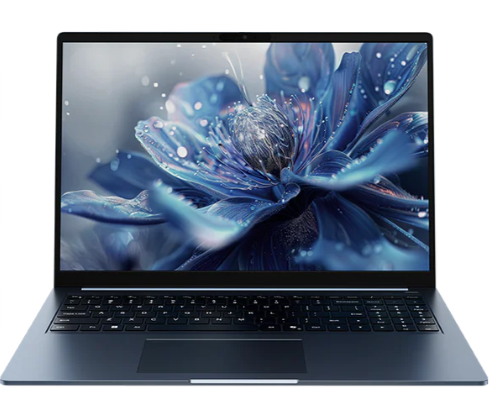
CHUWI CoreBook Air Plus Review: Ryzen 5 6600H Power in a Featherlight 16-Inch Laptop

If you’re looking for a large screen productivity laptop that doesn’t feel underpowered or overpriced, the CHUWI CoreBook Air Plus deserves serious attention.

This machine combines a 16-inch 1920×1200 display, AMD Ryzen 5 6600H performance, 16GB of LPDDR5 RAM, and a 512GB PCIe SSD inside a thin aluminum chassis that weighs about 1.35kg. On paper, that’s already impressive. In real use, it’s even more interesting.

👉 Check current pricing here:
https://us.chuwi.com/products/corebook-air-plus

Big 16-Inch Display with Real Productivity Space

The CoreBook Air Plus features a 16-inch WUXGA 1920×1200 display in a 16:10 aspect ratio. That extra vertical space matters more than people realize.

You see more lines of text in documents. You scroll less in spreadsheets. Timelines in editing software feel less cramped. If you work, study, code, edit, or write, the 16:10 layout is simply better than traditional 16:9 panels.

The IPS panel also delivers solid brightness and color clarity, making it suitable for both productivity and casual media consumption.

Ryzen 5 6600H Performance That Feels Like a Step Up

The real highlight here is the AMD Ryzen 5 6600H processor.

This is not a low power entry level chip. It’s a 6 core, 12 thread H-series processor capable of boosting up to 4.5GHz. Paired with Radeon 660M graphics, it handles:

  • Heavy multitasking

  • Office workloads

  • Content creation

  • Photo editing

  • Light gaming

  • Development environments

This laptop doesn’t feel like a budget compromise. It feels like a properly powered machine in a thin body.

16GB LPDDR5 + 512GB PCIe SSD

You get:

  • 16GB LPDDR5 6400MHz RAM

  • 512GB PCIe NVMe SSD

That amount of RAM is critical in 2026. Chrome tabs, video editing software, virtual machines, and productivity apps can chew through memory quickly. 16GB ensures smooth performance for years.

The SSD is fast out of the box and upgradeable to PCIe 4.0 x4 if you want even more speed and storage.

Stability Tested with OCCT

Performance means nothing without stability. That’s why I stress tested this system using OCCT.

You can view the official OCCT Silver Stability Certificate for this exact machine here:
https://www.ocbase.com/stabilityCertificate/6992aeceac2bfb708c697f2c

If you want to run your own testing, you can grab OCCT Pro here:
https://www.ocbase.com/occt/pro

OCCT is one of the best professional tools for validating CPU, GPU, and system stability under sustained load. This machine passed testing, which adds confidence for long term reliability.

Thin, Lightweight, and Actually Portable

Despite being a 16-inch laptop, the CoreBook Air Plus weighs about 1.35kg and stays under 17mm thick.

The aluminum chassis in indigo blue looks clean and modern. It does not feel cheap. It feels closer to premium ultrabooks than traditional budget laptops.

For students, remote workers, or creators who travel, that combination of screen size and portability is rare at this price.

Ports and Connectivity

Port selection is strong:

  • HDMI 2.1

  • Multiple USB-C ports including full featured

  • USB-A

  • 3.5mm audio jack

  • WiFi 6

  • Bluetooth 5.2

You can even drive a 4K external display at 60Hz, making this a capable desktop replacement when docked.

Windows 11 Pro and Productivity Ready

The CoreBook Air Plus ships with Windows 11 Pro and Office pre-installed. That means:

  • Business ready security

  • BitLocker support

  • Remote desktop capabilities

  • Enterprise features

It also includes a backlit keyboard, Copilot key integration, Windows Hello facial recognition, and 65W USB-C charging.

This is not a stripped down OS experience. It’s fully featured out of the box.

Who Is This Laptop For?

The CHUWI CoreBook Air Plus is ideal for:

  • Students who want performance and portability

  • Remote professionals

  • Writers and developers

  • Content creators on a budget

  • Anyone wanting a large screen without carrying a heavy workstation

If you want H-series Ryzen power without paying flagship ultrabook pricing, this machine makes a compelling case.

👉 See the latest pricing and availability here:
https://us.chuwi.com/products/corebook-air-plus

KAMRUI E3B Mini PC Review (Ryzen 5 7430U, 16GB RAM)

Mini PCs used to mean compromises. Slow CPUs, overheating, and limited expandability.

That’s no longer true.

Today I’m reviewing the KAMRUI E3B Mini PC with the AMD Ryzen 5 7430U, 16GB of DDR4 RAM, and 512GB SSD and I didn’t just casually test it. I ran a full OCCT Platinum stability certification to see how it handles sustained load.

If you want to check current pricing, you can find the exact configuration I tested here:
👉 https://amzn.to/4asqZib

Specifications

  • AMD Ryzen 5 7430U

  • 6 cores / 12 threads

  • Boost up to 4.3GHz

  • 16GB DDR4 dual channel

  • 512GB M.2 SSD

  • Radeon Vega integrated graphics

  • Triple 4K display support

  • WiFi 6 + Bluetooth 5.2

  • Gigabit Ethernet

On paper, this is strong midrange laptop-class hardware in a tiny desktop chassis.

Real-World Performance

Everyday Productivity

For web browsing, Office apps, email, streaming, and video calls, this system feels fast. The 6 core, 12 thread architecture combined with 16GB of RAM makes multitasking smooth.

In 2026, 16GB is the minimum I recommend for a daily driver, and this configuration hits that sweet spot.

Content Creation

This is not a high-end editing workstation. But for:

  • 1080p video editing

  • Photoshop and Canva

  • YouTube Studio

  • Audio editing

  • Light 4K workflows

It performs better than you would expect for the size and power draw.

If you are editing multi-cam 4K RAW daily, this is not the machine for that. But for most creators, it is more than capable.

Gaming Performance

Let’s be realistic.

The Radeon Vega graphics are fine for:

  • Esports titles

  • Indie games

  • Emulation

  • Older AAA titles at lower settings

This is not a competitive gaming rig, but it can absolutely handle casual gaming and media center duties.

OCCT Platinum Stability Test Results

I ran a full stress test using OCCT Pro, the same software used by system builders and enthusiasts for stability validation.

You can view the official stability certificate here:
https://www.ocbase.com/stabilityCertificate/6998532eac2bfb708c870fd8

OCCT Pro software:
https://www.ocbase.com/occt/pro

Why This Matters

A lot of mini PCs look good in short benchmarks but throttle or crash under sustained load.

This unit passed the OCCT Platinum stability certification, which means:

  • Sustained CPU load without crashing

  • Stable power delivery

  • No thermal shutdowns

  • No instability under stress

For a compact 28W-class processor in a small chassis, that is impressive.

Thermals and Noise

Under normal daily use, the system is quiet.

Under sustained load, the fan ramps up, but it remains reasonable and did not exhibit thermal throttling severe enough to fail stability testing.

That is exactly what you want from a mini PC.

Triple 4K Display Support

The KAMRUI E3B supports:

  • HDMI

  • DisplayPort

  • USB-C

All capable of 4K output.

If you run multiple monitors for productivity, this is one of the strongest features at this price point.

Add the included VESA mount and you can hide the entire PC behind your monitor for a clean setup.

Expandability

You can upgrade:

  • RAM

  • Storage

Dual M.2 slots are a nice touch, giving you room to grow.

That makes this more flexible than many budget mini PCs.

Who This Is For

This mini PC is ideal for:

  • Home office setups

  • Students

  • Media centers

  • Light creators

  • Small businesses

  • Homelab experimentation

  • Anyone wanting a clean, compact desk

Who Should Skip It

Skip this if you:

  • Need serious gaming performance

  • Do heavy 4K production daily

  • Require a discrete GPU

  • Want DDR5 platform performance

This is a value-focused productivity machine.

Final Verdict

The KAMRUI E3B with 16GB RAM surprised me.

It is stable.
It is capable.
It passed professional-grade stress testing.
And it delivers strong daily performance in a very compact footprint.

If you want to check pricing or availability:
👉 https://amzn.to/4asqZib

As always, links may be affiliate links. That helps support the channel at no extra cost to you.

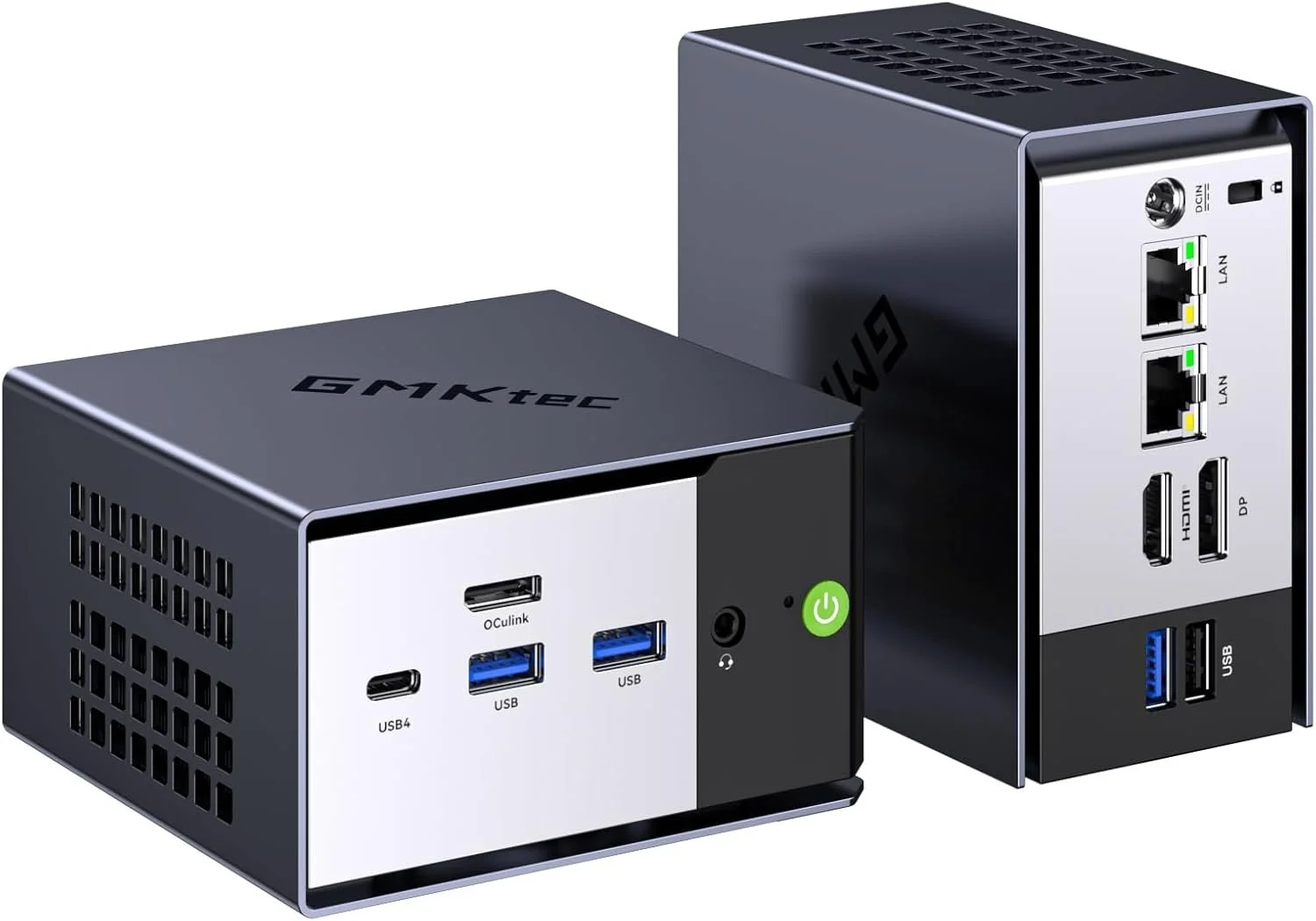
GMKtec K16 Mini PC Review (Ryzen 7 7735HS): A Small PC That Feels Like a Real Desktop

If you have been shopping for a mini PC lately, you have probably noticed two extremes: tiny boxes that feel underpowered, and “high end” mini PCs that get expensive fast. The GMKtec K16 lands in a sweet spot. It is compact, fast enough for real work, and loaded with the kind of ports and connectivity that actually make a mini PC useful.

In this post, I am focusing on the GMKtec K16 with the AMD Ryzen 7 7735HS, and I will also link to the two most common configurations people ask about: 32GB RAM with 1TB storage, and 32GB RAM with 512GB storage.

This did pass the OCCT Platinum test certificate: https://www.ocbase.com/stabilityCertificate/699c2605a51848139eba960b

I now use OCCT Pro for all of my testing: https://www.ocbase.com/occt/pro

Quick Summary: Who the GMKtec K16 Is For

The GMKtec K16 is a great fit if you want:

  • A small desktop for everyday use that never feels sluggish

  • A compact editing machine for 4K video timelines, proxies, and content workflows

  • A home office PC that can drive multiple displays cleanly

  • A light home lab box with fast networking options

  • A living room PC that is easy to mount and easy to hide

If your main goal is modern AAA gaming at high settings, this is not that. It can handle light gaming and esports style titles, but it is not a replacement for a dedicated gaming tower.

Performance: Ryzen 7 7735HS Is the Real Deal

The headline feature is the AMD Ryzen 7 7735HS. This chip has 8 cores and 16 threads, which matters because mini PCs often cut corners with lower-power CPUs. In real-life use, that translates into the K16 feeling responsive even when you are doing multiple things at once:

  • Dozens of Chrome tabs

  • Lightroom exports

  • A 4K timeline in your editor

  • Background downloads

  • Multiple monitors

It is the kind of mini PC you can actually use as a primary computer without constantly thinking about what you should close to “keep it snappy.”

Graphics: Radeon 680M Is Surprisingly Capable

The integrated Radeon 680M graphics are one of the biggest reasons this system feels more “desktop like” than older mini PCs. You are not buying this for high-end gaming, but it is absolutely capable for:

  • Light gaming

  • Emulation

  • Photo editing

  • Smooth 4K playback

  • GPU-accelerated creative apps

For creators, it is the overall balance that matters. CPU performance plus decent integrated graphics makes a big difference.

Storage: 1TB vs 512GB, Which One Should You Buy?

Both configurations can work, but here is the simple rule:

Get the 1TB version if you do any of these:

  • Video editing

  • Storing lots of footage locally

  • Installing multiple big apps or games

  • Running VMs or Docker images

  • Keeping a large photo library on the internal drive

The 512GB version is fine if:

  • You mostly stream media or store files in the cloud

  • You mainly do office work, web, and light creative tasks

  • You already have external SSDs and a workflow that uses them

Most people who message me after buying a mini PC regret underbuying storage, not overbuying it. If the price difference is not painful, 1TB is usually the move.

Ports and Connectivity: This Is Where the K16 Stands Out

A lot of mini PCs look good on paper until you actually try to plug your stuff in. The K16 is much more practical.

You get modern connectivity like USB4, WiFi 6E, Bluetooth 5.2, and dual 2.5G Ethernet. That makes it easier to use as:

  • A workstation with fast external SSDs

  • A home server or NAS companion

  • A multi-monitor desk setup

  • A travel-friendly editing box

Dual 2.5G Ethernet is a big deal if you do anything with local network storage, large file transfers, or a faster home lab setup.

Setup Ideas: How I Would Use It

Here are a few real ways this makes sense:

A YouTube workstation

Pair it with a fast external SSD and you have a clean editing and upload setup that takes up almost no desk space.

A home office PC

If you want a quiet, compact Windows machine that feels fast for years, this checks the box.

A mini home lab node

Dual 2.5G Ethernet opens up some fun options for routing, storage, or self hosted services.

My Bottom Line

The GMKtec K16 hits that rare combo: compact, powerful, and practical. The Ryzen 7 7735HS has enough CPU horsepower to feel like a real desktop, and the overall feature set makes it easy to recommend for creators, home office setups, and anyone who wants a small PC that does not feel compromised.

If you are on the fence between 512GB and 1TB, I lean 1TB for most people, especially if you do any kind of content creation.

Affiliate Links

If you want to support what I do, here are the exact models:

K16 AMD Ryzen 7 7735HS 32GB+1TB: https://amzn.to/4r0nZP0
K16 AMD Ryzen 7 7735HS 32GB+512GB: https://amzn.to/3OOd8KC


OMTech Spectra U1 Pro Review: A Serious Desktop UV Printer for Small Businesses

If you’ve been thinking about getting into UV printing, the OMTech Spectra U1 Pro might be one of the most practical entry points into real production level capability without jumping to a massive industrial machine.

In this review, I’m breaking down what makes the U1 Pro different, who it’s for, and whether it’s actually worth the investment for makers, side hustlers, and small businesses.

Product Page
Use Discount Code: Mercer

TLDR: I love this thing


What Is the OMTech Spectra U1 Pro?

The Spectra U1 Pro is a desktop flatbed UV printer designed for rigid materials like:

  • Acrylic

  • Glass

  • Wood

  • Metal

  • Leather

  • Plastic

  • Crystal labels

Unlike sublimation or inkjet transfers, UV printing cures ink instantly with UV light, allowing you to print directly onto hard surfaces with full color, white ink, and optional varnish effects.

This is not a hobby toy. It’s built for people who want to produce sellable, professional products.

Key Features of the Spectra U1 Pro

Dual Head Performance

The Pro version steps up performance with dual printhead capability. That means faster production and cleaner layering when printing white underbase plus full color.

If you plan to run small-batch production, this matters.

White Ink + Varnish Channels

This is one of the biggest reasons to consider UV printing in the first place.

You can:

  • Print white under dark materials

  • Create layered white for opacity

  • Add gloss varnish for texture effects

  • Create raised spot finishes

That opens up high-margin products like:

  • Acrylic signage

  • Custom tumblers

  • Award plaques

  • Promotional products

  • Branded merch

Automatic Height Detection

The built-in infrared height detection system takes a lot of guesswork out of setup. For most rigid materials, the printer will automatically help you dial in the correct gap.

For transparent materials such as glass or acrylic, you can manually set the distance for precise printing.

This helps prevent head strikes and keeps print quality consistent.

Vacuum Table + Media Stability

The integrated vacuum table keeps your material flat and secure during printing.

If you’ve ever had media shift mid-print, you know how painful that is. The U1 Pro solves that problem cleanly.

Rotary Attachment Capability

With an optional rotary attachment, you can print on cylindrical objects like:

  • Glass cups

  • Tumblers

  • Bottles

That dramatically expands your product offering.

Print Quality

The U1 Pro supports up to 720 x 1440 dpi resolution, which is more than enough for detailed logos, gradients, and photo-style prints.

Color layering is strong, white opacity is solid, and varnish effects look professional when dialed in correctly.

For small business branding, it delivers.

Maintenance and Usability

UV printers require maintenance. That’s just reality.

The Spectra U1 Pro includes:

  • Automatic cleaning cycles

  • Easy access to the capping station

  • Waste ink container monitoring

  • Ink status panel

As long as you follow routine maintenance and keep the machine in standby when not in use, it remains reliable.

This is not a plug-it-in-and-ignore-it machine. But it is manageable.

Who Should Buy the Spectra U1 Pro?

This printer makes sense if you are:

  • Running a custom product business

  • Selling personalized acrylic or metal products

  • Expanding from laser engraving

  • Looking to offer full color direct printing

  • Building a high-margin Etsy or Shopify store

It may not make sense if you only print occasionally or are not prepared for ink costs and maintenance.

This is a business tool.

Is the OMTech Spectra U1 Pro Worth It?

If you want real UV capability without stepping into six-figure industrial equipment, the Spectra U1 Pro hits a sweet spot.

It’s compact enough for a workshop or garage setup, powerful enough for paid production work, and flexible enough to grow with your business.

If UV printing fits your business model, this machine can absolutely pay for itself.

Where to Buy + Discount

You can check out the OMTech Spectra U1 Pro here

Use code Mercer at checkout for a discount.

If you’re serious about adding UV printing to your workflow, this is one of the strongest desktop options currently available.

Final Thoughts

UV printing is one of the fastest ways to increase product value and perceived quality. The ability to print directly on rigid materials with white and varnish unlocks entire product categories.

The OMTech Spectra U1 Pro gives you that power in a footprint that most serious creators can manage.

If you’re building a real product business, it’s worth taking a close look.

ABA Resource Map for Teaching Students with ASD

ABA Resource Map for Teaching Students with ASD

Click any resource box to open the source in a new tab.

ABA Resources for Teaching Students with ASD
Organized by teacher workflow: evidence, assessment, instruction, family supports
Evidence Base
What works and why
Assessment & Planning
FBA and function-based planning
Instruction & Support
EBPs used day-to-day
Family-Friendly Guides
Home-school alignment
NCAEP EBP Report (2020)
Find evidence-based practices by age/outcome
Use to select interventions supported by research and match them to outcomes and age groups.
National Standards Project
Summary of evidence-based autism treatments
Use as a quick reference for evidence categories to guide intervention decisions.
AFIRM Module: FBA
Step-by-step FBA process and materials
Use to train staff and build a consistent FBA workflow for school settings.
IRIS Module: FBA (Elem)
Practice-friendly examples and guidance
Use for educator training with scenarios, decision points, and classroom examples.
PBIS Tier 3 FBA Guide
Comprehensive FBA and function-based planning
Use to align FBAs and plans with Tier 3 PBIS systems and documentation.
AFIRM: Reinforcement
Increase desired behavior with R+
Use to plan and monitor reinforcement systems that support skill acquisition and behavior change.
AFIRM: Differential Reinforcement
DRA, DRI, DRO for behavior reduction
Use to reduce interfering behavior while teaching appropriate replacement behaviors.
AFIRM: FCT
Teach communication that matches the behavior function
Use to replace problem behavior with functional communication responses.
AFIRM: Visual Supports
Increase independence with visuals and routines
Use to support transitions, routines, and task completion with visual cues and schedules.
Autism Speaks: Challenging Behaviors Tool Kit
Family-friendly strategies and guidance
Use to support caregiver understanding and home-school consistency for behavior supports.

The Weirdest Camera I’ve Ever Used… It Sees Sound

Most cameras capture light.
The FOTRIC TD2 acoustic imaging camera captures sound.

That alone makes it one of the weirdest cameras I have ever used. The first time you see the FOTRIC TD2 in action, it immediately clicks that this is not a novelty camera. It is a diagnostic tool that visualizes something humans normally cannot see.

Instead of taking a photo of an object, the FOTRIC TD2 acoustic camera translates sound into a visual heatmap in real time. You are not listening for leaks or noise anymore. You are seeing them.

What the FOTRIC TD2 acoustic camera actually does

The FOTRIC TD2 is an acoustic imaging camera designed to locate sound sources by using a dense microphone array. These microphones detect where sound energy is coming from and overlay that information visually on the screen.

In simple terms, louder sound sources appear brighter and more concentrated. Quieter areas fade away. Even someone with no technical background can immediately understand what they are looking at.

This is what people mean when they say the FOTRIC TD2 lets you “see sound.”

Why using the FOTRIC TD2 feels so strange

Your brain expects a camera to respond to light. Watching the FOTRIC TD2 respond to sound instead feels almost like cheating.

It behaves more like a thermal camera, except the data layer is acoustic energy rather than heat. When a sound source stabilizes on screen, the location becomes obvious in a way that listening alone never achieves.

That moment is usually when people realize how powerful acoustic imaging actually is.

Practical uses for the FOTRIC TD2 acoustic imaging camera

The FOTRIC TD2 is commonly used in professional environments, but the appeal is universal.

Typical use cases include:

  • Locating compressed air leaks

  • Finding vacuum system leaks

  • Identifying refrigerant leaks in HVAC systems

  • Tracking down abnormal mechanical noise

  • Troubleshooting equipment without disassembly

Instead of walking around with soap spray or guessing from sound reflections, the FOTRIC TD2 lets you point and visually confirm the source.

What the FOTRIC TD2 does not do

The FOTRIC TD2 does not calculate leak rate or cost. It does not estimate dollars lost per hour or provide billing numbers.

What it does extremely well is localization. It tells you exactly where the sound is coming from. That clarity alone can save significant time during inspections and diagnostics.

Why seeing sound changes how you troubleshoot

Sound usually exists in a gray area. You hear it, but you are never fully confident where it originates, especially in noisy or reflective environments.

By using an acoustic camera like the FOTRIC TD2, sound becomes spatial and visual. Troubleshooting becomes faster, calmer, and more precise because uncertainty disappears.

Once you experience it, traditional troubleshooting methods start to feel outdated.

Final thoughts on the FOTRIC TD2

The FOTRIC TD2 acoustic imaging camera reveals a layer of the world most people never think about. It takes something abstract and invisible and turns it into something immediately understandable.

That is why it earns the title of the weirdest camera I have ever used. Not because it is confusing, but because once you understand it, you cannot imagine going back.