Kamrui H2 Mini PC Review: A Tiny Ryzen Powerhouse That Actually Delivers

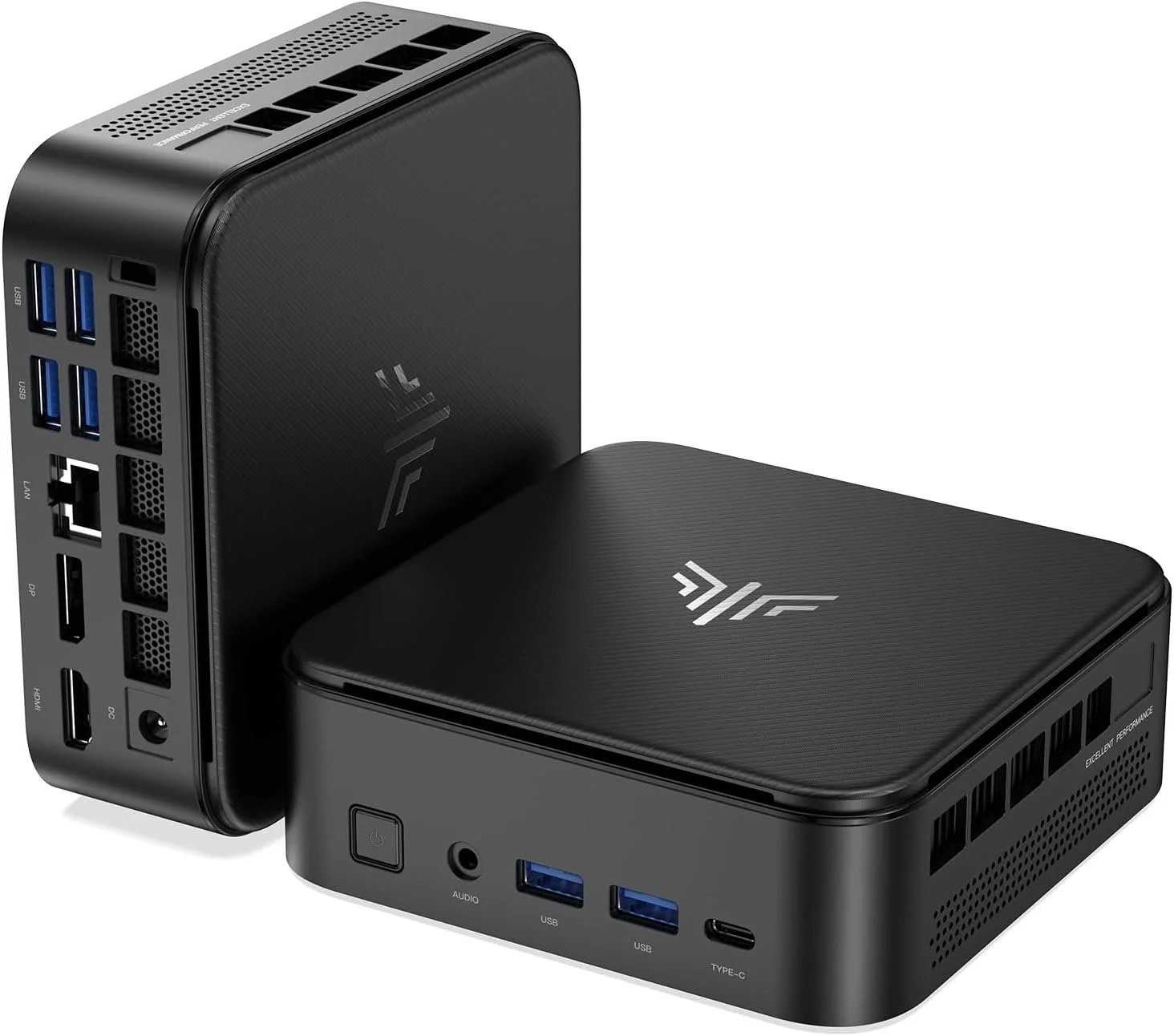
If you’re looking for a compact desktop that punches way above its weight, the Kamrui H2 Mini PC might be exactly what you need.

👉 Check current price here: https://amzn.to/4sNe5SG

I’ve tested a lot of mini PCs, and most of them fall into one of two categories: cheap and slow, or powerful and overpriced. This one sits right in that sweet spot where you actually get real performance for the money.

Performance That Doesn’t Feel “Mini”

The Kamrui H2 is powered by the Ryzen 7 7735HS, which is an 8-core, 16-thread CPU that boosts up to 4.75GHz. In real-world use, that means:

  • Smooth multitasking

  • Solid video editing performance

  • Light gaming without frustration

  • Snappy everyday use

This isn’t just a “basic office PC.” It’s genuinely capable.

OCCT Platinum Stability Test (Real Validation)

One thing I always care about is stability. Specs are one thing, but can it actually hold up under load?

I ran a full OCCT stress test, and this system passed with a Platinum Stability Certificate, which is basically the highest level of validation you can get.

View my full OCCT test results here:
https://www.ocbase.com/stabilityCertificate/69cb930783688683ae7baa31

For context, a Platinum certificate means the system survived a ~12-hour stress test across CPU and memory workloads without errors, which is considered the “gold standard” for system stability (OCBASE, 2026).

That’s the kind of result you want if you’re using this for work, content creation, or anything long-running.

Triple 4K Setup in a Tiny Box

Another standout feature is display support.

You can run up to three 4K monitors at 60Hz, which makes this perfect for:

  • Editing setups

  • Trading dashboards

  • Productivity workstations

  • Clean minimal desk builds

And because it’s so small, you can mount it behind your monitor and basically make your own all-in-one PC.

Connectivity That Actually Matters

This is where a lot of mini PCs cut corners, but not here:

  • WiFi 6

  • Bluetooth 5.2

  • 2.5Gb Ethernet

  • Multiple USB ports

  • HDMI + DisplayPort + USB-C

That 2.5Gb LAN alone is a huge win if you’re running a NAS, server, or fast home network.

Size and Setup

This thing is tiny.

Like… genuinely “hide it behind your monitor and forget about it” small.

Perfect for:

  • Minimalist setups

  • Home offices

  • Small desks

  • Clean YouTube or streaming rigs

The Downsides

To keep this honest, a couple of things to know:

  • Not a high-end gaming machine

  • Integrated graphics limit heavier titles

  • Some users report mixed experiences with pre-installed software, so I recommend doing a fresh Windows install just to be safe

Final Verdict: Is the Kamrui H2 Worth It?

Honestly, yes.

For the price, this is one of the best value mini PCs I’ve tested recently.

You’re getting:

  • Real CPU power

  • Expandable storage

  • Multi-monitor support

  • Verified stability under stress

All in a form factor that takes up basically no space.

If you want a compact desktop that actually performs like a full-size machine, this is an easy recommendation.
KAMRUI E3B Mini PC Review (Ryzen 5 7430U, 16GB RAM)

Mini PCs used to mean compromises. Slow CPUs, overheating, and limited expandability.

That’s no longer true.

Today I’m reviewing the KAMRUI E3B Mini PC with the AMD Ryzen 5 7430U, 16GB of DDR4 RAM, and 512GB SSD and I didn’t just casually test it. I ran a full OCCT Platinum stability certification to see how it handles sustained load.

If you want to check current pricing, you can find the exact configuration I tested here:
👉 https://amzn.to/4asqZib

Specifications

  • AMD Ryzen 5 7430U

  • 6 cores / 12 threads

  • Boost up to 4.3GHz

  • 16GB DDR4 dual channel

  • 512GB M.2 SSD

  • Radeon Vega integrated graphics

  • Triple 4K display support

  • WiFi 6 + Bluetooth 5.2

  • Gigabit Ethernet

On paper, this is strong midrange laptop-class hardware in a tiny desktop chassis.

Real-World Performance

Everyday Productivity

For web browsing, Office apps, email, streaming, and video calls, this system feels fast. The 6 core, 12 thread architecture combined with 16GB of RAM makes multitasking smooth.

In 2026, 16GB is the minimum I recommend for a daily driver, and this configuration hits that sweet spot.

Content Creation

This is not a high-end editing workstation. But for:

  • 1080p video editing

  • Photoshop and Canva

  • YouTube Studio

  • Audio editing

  • Light 4K workflows

It performs better than you would expect for the size and power draw.

If you are editing multi-cam 4K RAW daily, this is not the machine for that. But for most creators, it is more than capable.

Gaming Performance

Let’s be realistic.

The Radeon Vega graphics are fine for:

  • Esports titles

  • Indie games

  • Emulation

  • Older AAA titles at lower settings

This is not a competitive gaming rig, but it can absolutely handle casual gaming and media center duties.

OCCT Platinum Stability Test Results

I ran a full stress test using OCCT Pro, the same software used by system builders and enthusiasts for stability validation.

You can view the official stability certificate here:
https://www.ocbase.com/stabilityCertificate/6998532eac2bfb708c870fd8

OCCT Pro software:
https://www.ocbase.com/occt/pro

Why This Matters

A lot of mini PCs look good in short benchmarks but throttle or crash under sustained load.

This unit passed the OCCT Platinum stability certification, which means:

  • Sustained CPU load without crashing

  • Stable power delivery

  • No thermal shutdowns

  • No instability under stress

For a compact 28W-class processor in a small chassis, that is impressive.

Thermals and Noise

Under normal daily use, the system is quiet.

Under sustained load, the fan ramps up, but it remains reasonable and did not exhibit thermal throttling severe enough to fail stability testing.

That is exactly what you want from a mini PC.

Triple 4K Display Support

The KAMRUI E3B supports:

  • HDMI

  • DisplayPort

  • USB-C

All capable of 4K output.

If you run multiple monitors for productivity, this is one of the strongest features at this price point.

Add the included VESA mount and you can hide the entire PC behind your monitor for a clean setup.

Expandability

You can upgrade:

  • RAM

  • Storage

Dual M.2 slots are a nice touch, giving you room to grow.

That makes this more flexible than many budget mini PCs.

Who This Is For

This mini PC is ideal for:

  • Home office setups

  • Students

  • Media centers

  • Light creators

  • Small businesses

  • Homelab experimentation

  • Anyone wanting a clean, compact desk

Who Should Skip It

Skip this if you:

  • Need serious gaming performance

  • Do heavy 4K production daily

  • Require a discrete GPU

  • Want DDR5 platform performance

This is a value-focused productivity machine.

Final Verdict

The KAMRUI E3B with 16GB RAM surprised me.

It is stable.
It is capable.
It passed professional-grade stress testing.
And it delivers strong daily performance in a very compact footprint.

If you want to check pricing or availability:
👉 https://amzn.to/4asqZib

As always, links may be affiliate links. That helps support the channel at no extra cost to you.