KAMRUI Pinova P2 Mini PC Review (16GB / 512GB) – Intel i5-12600H Power in a Tiny Desktop

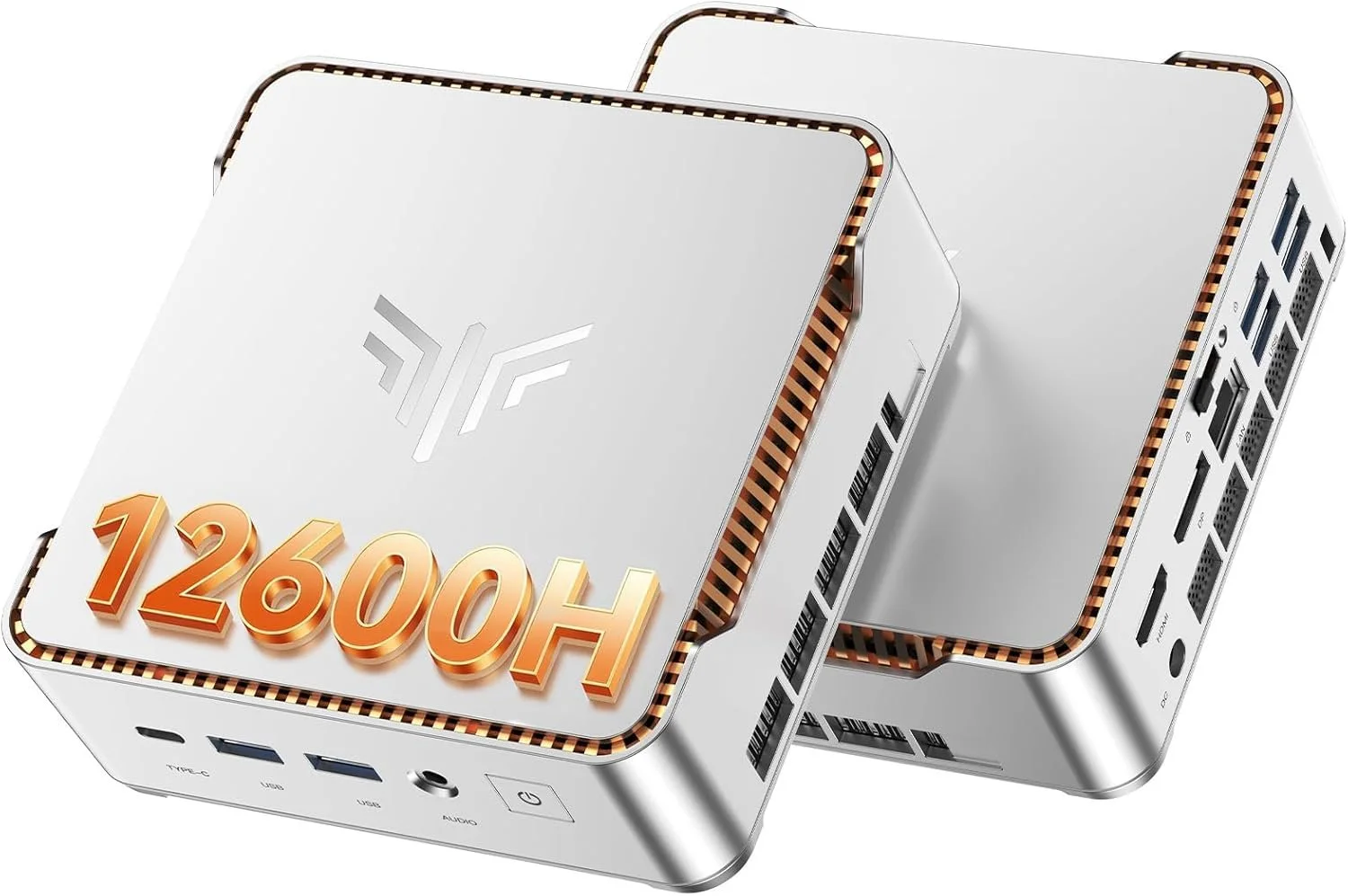
If you’ve been looking for a mini PC that actually performs like a real desktop, the KAMRUI Pinova P2 Mini PC (16GB RAM / 512GB SSD) deserves serious attention.

This is not one of those ultra-low-power office boxes. Inside this compact metal chassis is an Intel Core i5-12600H, a 12-core, 16-thread processor that boosts up to 4.5GHz. That is a legitimate laptop-class CPU, and it completely changes what you can expect from a mini PC at this size and price.


Core Specs – KAMRUI Pinova P2 (16GB / 512GB)

  • CPU: Intel Core i5-12600H (12 cores, 16 threads)

  • RAM: 16GB DDR4 dual channel

  • Storage: 512GB NVMe PCIe SSD

  • Graphics: Intel Iris Xe

  • Networking: Wi-Fi 6 + Bluetooth 5.2 + Gigabit Ethernet

  • Display Support: Up to triple 4K @ 60Hz

  • OS: Windows 11 Pro

  • Expandable Storage: Additional M.2 slot

For productivity, homelab use, light gaming, emulation, and content creation, this is a very capable configuration.
Real Performance Expectations

The i5-12600H is the star of the show here. With its hybrid core design, you get strong single-core performance for everyday tasks and plenty of multi-core power for heavier workloads.

This mini PC feels fast in real use:

  • Smooth multitasking with dozens of Chrome tabs

  • Video playback and streaming with zero issues

  • Light photo and video editing

  • Emulation and light gaming

  • Plex server or home server use

  • Office and business workloads

If you are upgrading from an older 8th or 9th gen Intel desktop, you will absolutely feel the jump in responsiveness.

Stability Testing – OCCT Pro Certified

I stress tested this unit using OCCT Pro, running sustained CPU, memory, and power load testing. The system completed extended stress testing with zero errors and earned a System Platinum Stability Certificate.

That means no crashes, no throttling issues, and no instability under heavy load during testing.

You can learn more about OCCT Pro here:
https://www.ocbase.com/occt/pro

For a compact mini PC, passing extended stability testing is a big deal.

Who This Mini PC Is For

This KAMRUI Pinova P2 makes sense for:

  • Home office setups

  • Students who want real performance

  • Homelab builders

  • Plex server users

  • Small business deployments

  • Clean minimalist desk setups

  • Anyone who wants desktop power without a giant tower

It is especially compelling if you want strong CPU performance without stepping into full custom desktop pricing.

Ports and Expandability

You get a very usable port selection, including HDMI, DisplayPort, USB-C, and multiple USB 3.2 ports. It supports up to triple 4K displays at 60Hz, which makes it excellent for productivity and trading setups.

Inside, there is room for storage expansion via an additional M.2 slot, which is always something I look for in mini PCs.

Final Thoughts

The KAMRUI Pinova P2 16GB / 512GB configuration hits a sweet spot.

You get a real 12-core i5 processor, enough RAM for serious multitasking, fast NVMe storage, Wi-Fi 6, Windows 11 Pro, and strong stability under load. In this price bracket, that combination is hard to beat.

If you want something small but legitimately powerful, this is one of the more interesting mini PCs available right now.

Check current price and availability here: https://amzn.to/4kkkq4u
KAMRUI E3B Mini PC Review (Ryzen 5 7430U, 16GB RAM)

Mini PCs used to mean compromises. Slow CPUs, overheating, and limited expandability.

That’s no longer true.

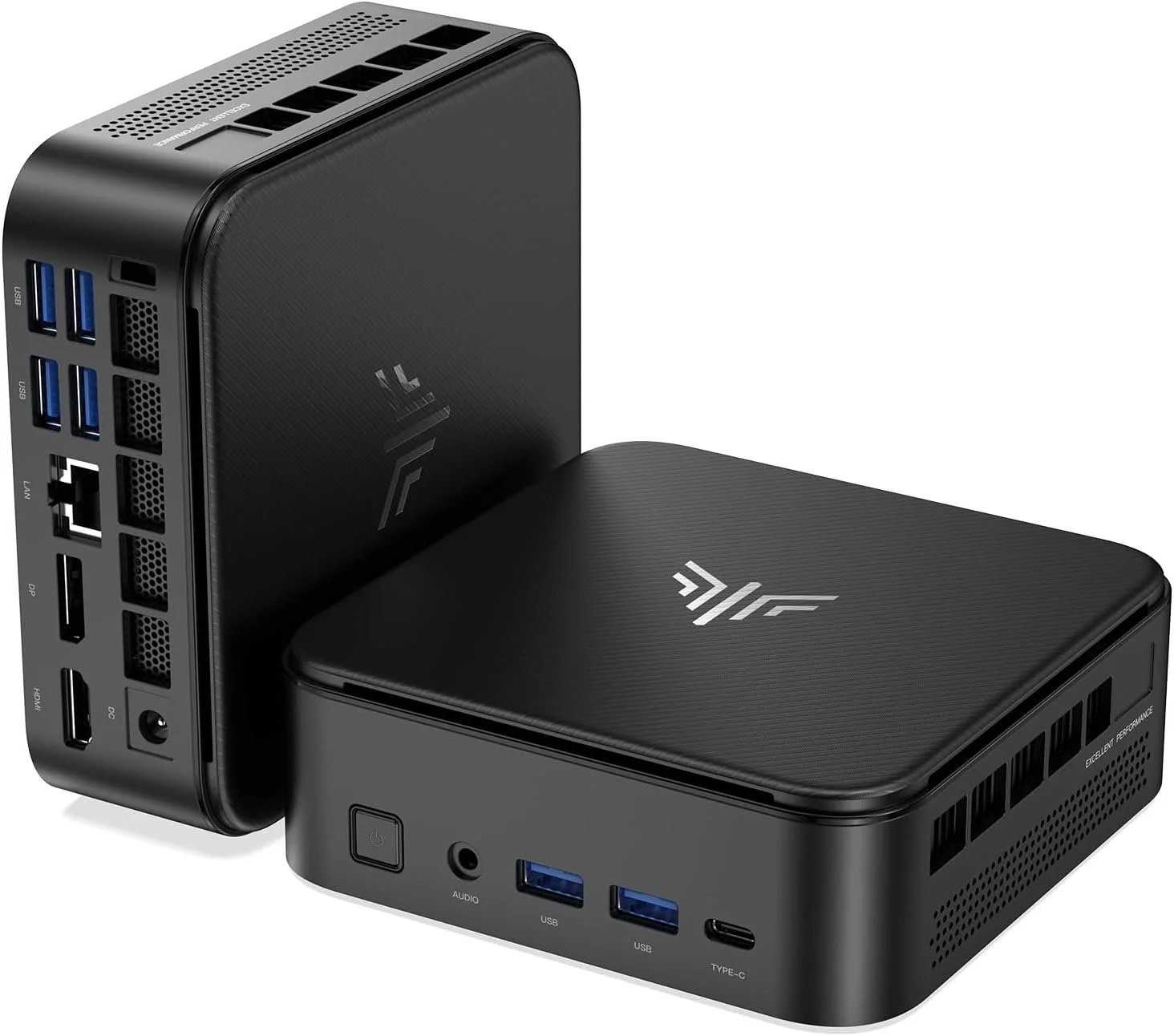
Today I’m reviewing the KAMRUI E3B Mini PC with the AMD Ryzen 5 7430U, 16GB of DDR4 RAM, and 512GB SSD and I didn’t just casually test it. I ran a full OCCT Platinum stability certification to see how it handles sustained load.

If you want to check current pricing, you can find the exact configuration I tested here:
👉 https://amzn.to/4asqZib

Specifications

  • AMD Ryzen 5 7430U

  • 6 cores / 12 threads

  • Boost up to 4.3GHz

  • 16GB DDR4 dual channel

  • 512GB M.2 SSD

  • Radeon Vega integrated graphics

  • Triple 4K display support

  • WiFi 6 + Bluetooth 5.2

  • Gigabit Ethernet

On paper, this is strong midrange laptop-class hardware in a tiny desktop chassis.

Real-World Performance

Everyday Productivity

For web browsing, Office apps, email, streaming, and video calls, this system feels fast. The 6 core, 12 thread architecture combined with 16GB of RAM makes multitasking smooth.

In 2026, 16GB is the minimum I recommend for a daily driver, and this configuration hits that sweet spot.

Content Creation

This is not a high-end editing workstation. But for:

  • 1080p video editing

  • Photoshop and Canva

  • YouTube Studio

  • Audio editing

  • Light 4K workflows

It performs better than you would expect for the size and power draw.

If you are editing multi-cam 4K RAW daily, this is not the machine for that. But for most creators, it is more than capable.

Gaming Performance

Let’s be realistic.

The Radeon Vega graphics are fine for:

  • Esports titles

  • Indie games

  • Emulation

  • Older AAA titles at lower settings

This is not a competitive gaming rig, but it can absolutely handle casual gaming and media center duties.

OCCT Platinum Stability Test Results

I ran a full stress test using OCCT Pro, the same software used by system builders and enthusiasts for stability validation.

You can view the official stability certificate here:
https://www.ocbase.com/stabilityCertificate/6998532eac2bfb708c870fd8

OCCT Pro software:
https://www.ocbase.com/occt/pro

Why This Matters

A lot of mini PCs look good in short benchmarks but throttle or crash under sustained load.

This unit passed the OCCT Platinum stability certification, which means:

  • Sustained CPU load without crashing

  • Stable power delivery

  • No thermal shutdowns

  • No instability under stress

For a compact 28W-class processor in a small chassis, that is impressive.

Thermals and Noise

Under normal daily use, the system is quiet.

Under sustained load, the fan ramps up, but it remains reasonable and did not exhibit thermal throttling severe enough to fail stability testing.

That is exactly what you want from a mini PC.

Triple 4K Display Support

The KAMRUI E3B supports:

  • HDMI

  • DisplayPort

  • USB-C

All capable of 4K output.

If you run multiple monitors for productivity, this is one of the strongest features at this price point.

Add the included VESA mount and you can hide the entire PC behind your monitor for a clean setup.

Expandability

You can upgrade:

  • RAM

  • Storage

Dual M.2 slots are a nice touch, giving you room to grow.

That makes this more flexible than many budget mini PCs.

Who This Is For

This mini PC is ideal for:

  • Home office setups

  • Students

  • Media centers

  • Light creators

  • Small businesses

  • Homelab experimentation

  • Anyone wanting a clean, compact desk

Who Should Skip It

Skip this if you:

  • Need serious gaming performance

  • Do heavy 4K production daily

  • Require a discrete GPU

  • Want DDR5 platform performance

This is a value-focused productivity machine.

Final Verdict

The KAMRUI E3B with 16GB RAM surprised me.

It is stable.
It is capable.
It passed professional-grade stress testing.
And it delivers strong daily performance in a very compact footprint.

If you want to check pricing or availability:
👉 https://amzn.to/4asqZib

As always, links may be affiliate links. That helps support the channel at no extra cost to you.