KAMRUI Pinova P2 Mini PC Review (16GB / 512GB) – Intel i5-12600H Power in a Tiny Desktop

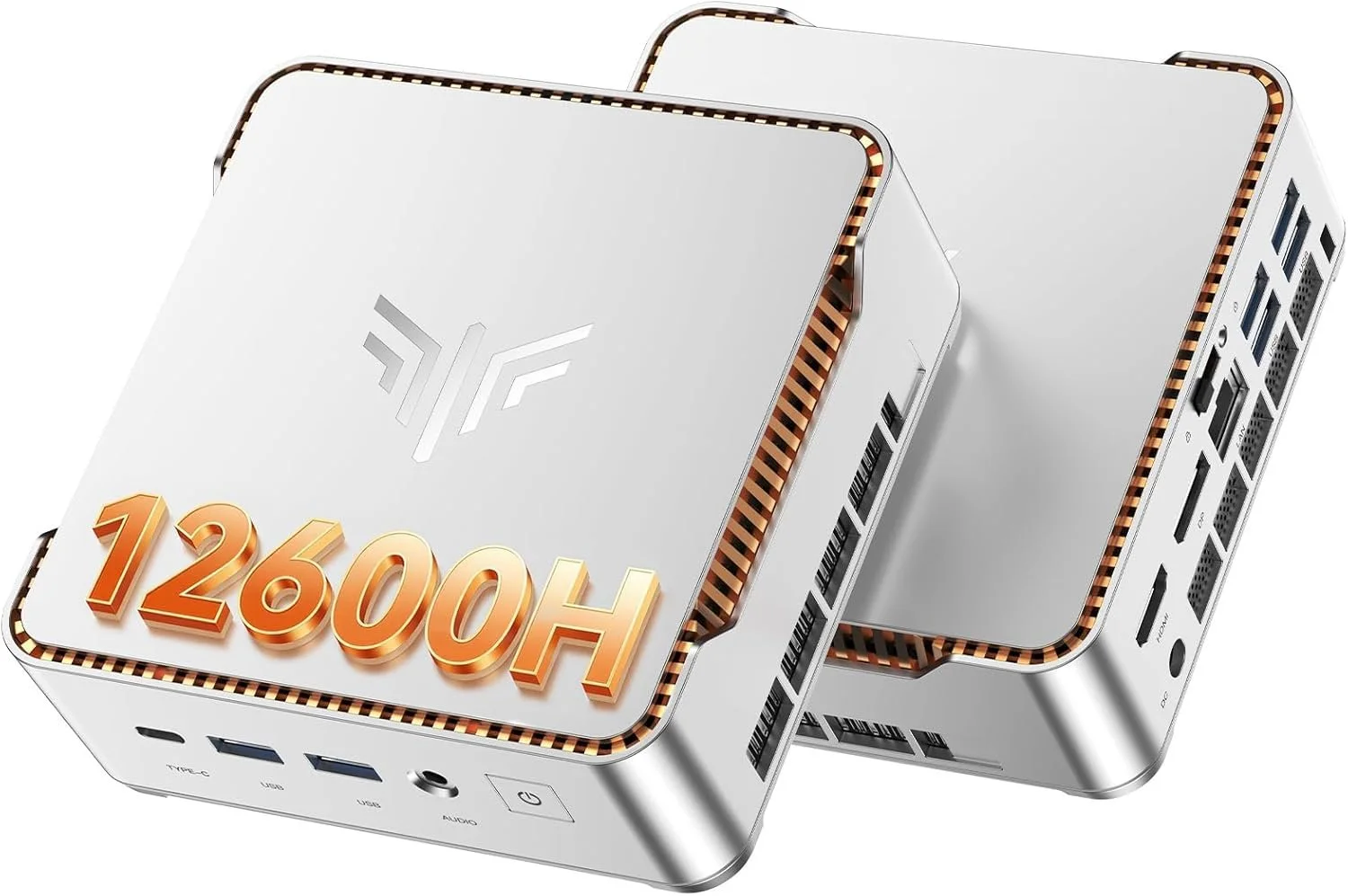
If you’ve been looking for a mini PC that actually performs like a real desktop, the KAMRUI Pinova P2 Mini PC (16GB RAM / 512GB SSD) deserves serious attention.

This is not one of those ultra-low-power office boxes. Inside this compact metal chassis is an Intel Core i5-12600H, a 12-core, 16-thread processor that boosts up to 4.5GHz. That is a legitimate laptop-class CPU, and it completely changes what you can expect from a mini PC at this size and price.


Core Specs – KAMRUI Pinova P2 (16GB / 512GB)

  • CPU: Intel Core i5-12600H (12 cores, 16 threads)

  • RAM: 16GB DDR4 dual channel

  • Storage: 512GB NVMe PCIe SSD

  • Graphics: Intel Iris Xe

  • Networking: Wi-Fi 6 + Bluetooth 5.2 + Gigabit Ethernet

  • Display Support: Up to triple 4K @ 60Hz

  • OS: Windows 11 Pro

  • Expandable Storage: Additional M.2 slot

For productivity, homelab use, light gaming, emulation, and content creation, this is a very capable configuration.
Real Performance Expectations

The i5-12600H is the star of the show here. With its hybrid core design, you get strong single-core performance for everyday tasks and plenty of multi-core power for heavier workloads.

This mini PC feels fast in real use:

  • Smooth multitasking with dozens of Chrome tabs

  • Video playback and streaming with zero issues

  • Light photo and video editing

  • Emulation and light gaming

  • Plex server or home server use

  • Office and business workloads

If you are upgrading from an older 8th or 9th gen Intel desktop, you will absolutely feel the jump in responsiveness.

Stability Testing – OCCT Pro Certified

I stress tested this unit using OCCT Pro, running sustained CPU, memory, and power load testing. The system completed extended stress testing with zero errors and earned a System Platinum Stability Certificate.

That means no crashes, no throttling issues, and no instability under heavy load during testing.

You can learn more about OCCT Pro here:
https://www.ocbase.com/occt/pro

For a compact mini PC, passing extended stability testing is a big deal.

Who This Mini PC Is For

This KAMRUI Pinova P2 makes sense for:

  • Home office setups

  • Students who want real performance

  • Homelab builders

  • Plex server users

  • Small business deployments

  • Clean minimalist desk setups

  • Anyone who wants desktop power without a giant tower

It is especially compelling if you want strong CPU performance without stepping into full custom desktop pricing.

Ports and Expandability

You get a very usable port selection, including HDMI, DisplayPort, USB-C, and multiple USB 3.2 ports. It supports up to triple 4K displays at 60Hz, which makes it excellent for productivity and trading setups.

Inside, there is room for storage expansion via an additional M.2 slot, which is always something I look for in mini PCs.

Final Thoughts

The KAMRUI Pinova P2 16GB / 512GB configuration hits a sweet spot.

You get a real 12-core i5 processor, enough RAM for serious multitasking, fast NVMe storage, Wi-Fi 6, Windows 11 Pro, and strong stability under load. In this price bracket, that combination is hard to beat.

If you want something small but legitimately powerful, this is one of the more interesting mini PCs available right now.

Check current price and availability here: https://amzn.to/4kkkq4u
GMKtec K16 Mini PC Review (Ryzen 7 7735HS): A Small PC That Feels Like a Real Desktop

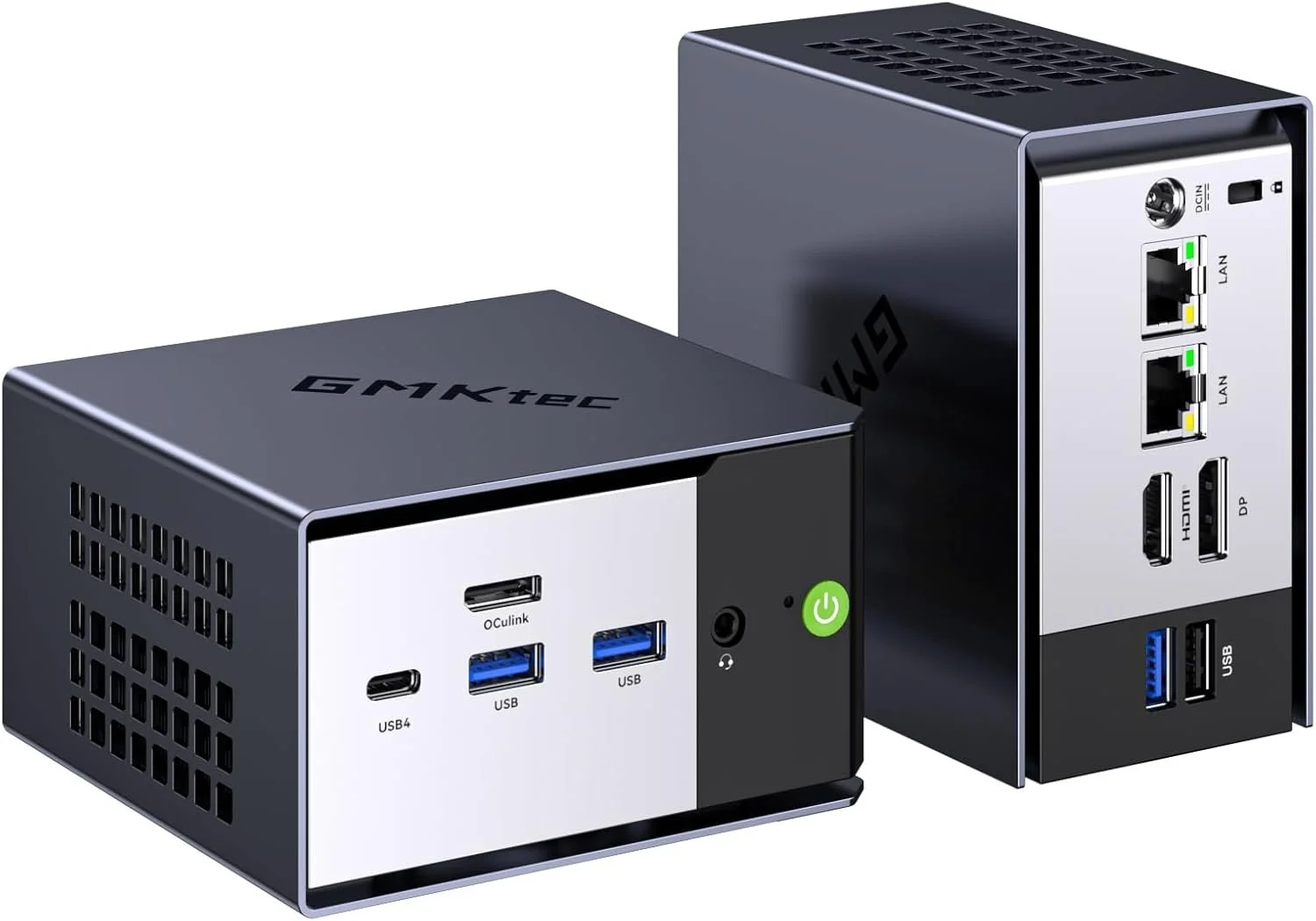
If you have been shopping for a mini PC lately, you have probably noticed two extremes: tiny boxes that feel underpowered, and “high end” mini PCs that get expensive fast. The GMKtec K16 lands in a sweet spot. It is compact, fast enough for real work, and loaded with the kind of ports and connectivity that actually make a mini PC useful.

In this post, I am focusing on the GMKtec K16 with the AMD Ryzen 7 7735HS, and I will also link to the two most common configurations people ask about: 32GB RAM with 1TB storage, and 32GB RAM with 512GB storage.

This did pass the OCCT Platinum test certificate: https://www.ocbase.com/stabilityCertificate/699c2605a51848139eba960b

I now use OCCT Pro for all of my testing: https://www.ocbase.com/occt/pro

Quick Summary: Who the GMKtec K16 Is For

The GMKtec K16 is a great fit if you want:

  • A small desktop for everyday use that never feels sluggish

  • A compact editing machine for 4K video timelines, proxies, and content workflows

  • A home office PC that can drive multiple displays cleanly

  • A light home lab box with fast networking options

  • A living room PC that is easy to mount and easy to hide

If your main goal is modern AAA gaming at high settings, this is not that. It can handle light gaming and esports style titles, but it is not a replacement for a dedicated gaming tower.

Performance: Ryzen 7 7735HS Is the Real Deal

The headline feature is the AMD Ryzen 7 7735HS. This chip has 8 cores and 16 threads, which matters because mini PCs often cut corners with lower-power CPUs. In real-life use, that translates into the K16 feeling responsive even when you are doing multiple things at once:

  • Dozens of Chrome tabs

  • Lightroom exports

  • A 4K timeline in your editor

  • Background downloads

  • Multiple monitors

It is the kind of mini PC you can actually use as a primary computer without constantly thinking about what you should close to “keep it snappy.”

Graphics: Radeon 680M Is Surprisingly Capable

The integrated Radeon 680M graphics are one of the biggest reasons this system feels more “desktop like” than older mini PCs. You are not buying this for high-end gaming, but it is absolutely capable for:

  • Light gaming

  • Emulation

  • Photo editing

  • Smooth 4K playback

  • GPU-accelerated creative apps

For creators, it is the overall balance that matters. CPU performance plus decent integrated graphics makes a big difference.

Storage: 1TB vs 512GB, Which One Should You Buy?

Both configurations can work, but here is the simple rule:

Get the 1TB version if you do any of these:

  • Video editing

  • Storing lots of footage locally

  • Installing multiple big apps or games

  • Running VMs or Docker images

  • Keeping a large photo library on the internal drive

The 512GB version is fine if:

  • You mostly stream media or store files in the cloud

  • You mainly do office work, web, and light creative tasks

  • You already have external SSDs and a workflow that uses them

Most people who message me after buying a mini PC regret underbuying storage, not overbuying it. If the price difference is not painful, 1TB is usually the move.

Ports and Connectivity: This Is Where the K16 Stands Out

A lot of mini PCs look good on paper until you actually try to plug your stuff in. The K16 is much more practical.

You get modern connectivity like USB4, WiFi 6E, Bluetooth 5.2, and dual 2.5G Ethernet. That makes it easier to use as:

  • A workstation with fast external SSDs

  • A home server or NAS companion

  • A multi-monitor desk setup

  • A travel-friendly editing box

Dual 2.5G Ethernet is a big deal if you do anything with local network storage, large file transfers, or a faster home lab setup.

Setup Ideas: How I Would Use It

Here are a few real ways this makes sense:

A YouTube workstation

Pair it with a fast external SSD and you have a clean editing and upload setup that takes up almost no desk space.

A home office PC

If you want a quiet, compact Windows machine that feels fast for years, this checks the box.

A mini home lab node

Dual 2.5G Ethernet opens up some fun options for routing, storage, or self hosted services.

My Bottom Line

The GMKtec K16 hits that rare combo: compact, powerful, and practical. The Ryzen 7 7735HS has enough CPU horsepower to feel like a real desktop, and the overall feature set makes it easy to recommend for creators, home office setups, and anyone who wants a small PC that does not feel compromised.

If you are on the fence between 512GB and 1TB, I lean 1TB for most people, especially if you do any kind of content creation.

Affiliate Links

If you want to support what I do, here are the exact models:

K16 AMD Ryzen 7 7735HS 32GB+1TB: https://amzn.to/4r0nZP0
K16 AMD Ryzen 7 7735HS 32GB+512GB: https://amzn.to/3OOd8KC