GMKtec M8 Mini PC Review: Ryzen 5 PRO 6650H with Dual 2.5G and OCuLink

The GMKtec M8 mini PC is not your typical compact desktop. On paper, it looks like another small Ryzen-powered box, but once you look at the ports and internal expansion, it becomes clear this system is aimed at power users, homelab builders, and anyone who needs serious connectivity in a tiny footprint.


Ryzen 5 PRO 6650H Performance

At the heart of the GMKtec M8 is the AMD Ryzen 5 PRO 6650H. This is a 6-core, 12-thread Zen 3+ processor built on a 6nm process. It boosts up to 4.5 GHz and can run up to 40 watts in performance mode.

In real-world use, that means:

  • Smooth multitasking

  • Strong performance for virtualization and containers

  • Plenty of power for Proxmox, Docker, and home server workloads

  • Comfortable 4K media playback

  • Light content creation and casual gaming with the Radeon 660M iGPU

This is laptop-class silicon, but configured in a way that makes it feel closer to a low-power desktop experience.

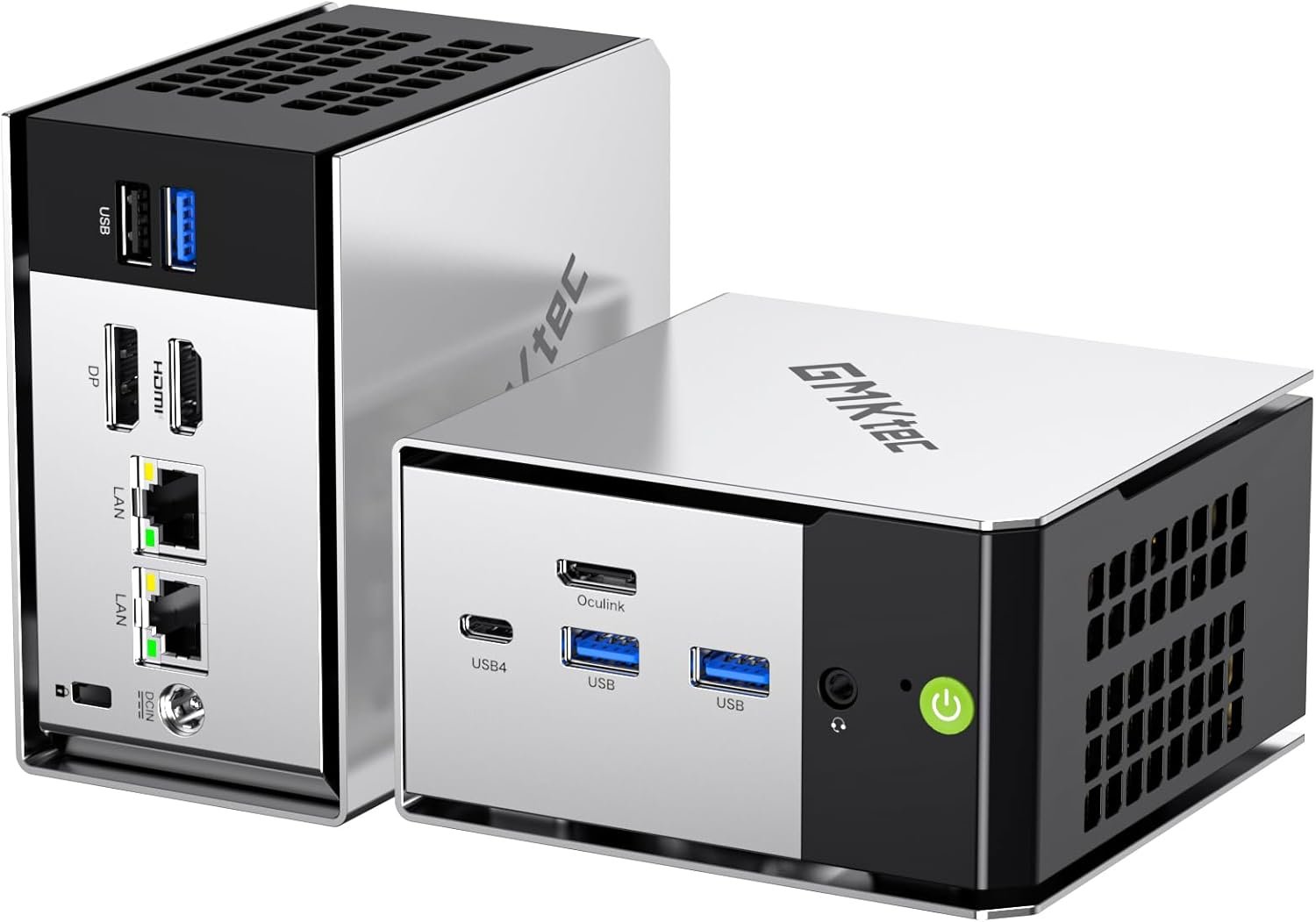
Serious Networking: Dual 2.5G LAN

One of the standout features of the GMKtec M8 is dual 2.5 gig Ethernet. That immediately puts it in homelab territory.

You can use it for:

  • Router or firewall builds

  • Network segmentation

  • High-speed NAS connections

  • Virtualized network labs

  • Redundant or bonded connections

With WiFi 6E and Bluetooth 5.2, this system's connectivity is far beyond what most mini PCs offer.

USB4 and OCuLink Expansion

This is where the M8 really separates itself.

You get:

  • USB4 with up to 40Gbps bandwidth

  • DisplayPort output through USB4

  • Power delivery support

  • OCuLink for direct PCIe Gen4 x4 expansion

OCuLink is rare in this price class. It opens the door to external GPUs or high-speed PCIe storage solutions without the overhead of traditional USB enclosures. Just remember that OCuLink is not hot-plug safe. Always power down before connecting or disconnecting.

For anyone building a compact but expandable system, this is a big deal.

Storage and Memory

The GMKtec M8 ships with:

  • 16GB LPDDR5 6400MT per second memory

  • 512GB or 1TB PCIe NVMe SSD

The RAM is onboard and not upgradeable, so plan accordingly. However, you do get two M.2 2280 PCIe 4.0 slots internally, supporting large NVMe drives. That means you can scale storage significantly for media servers, backups, or VM labs.

This is NVMe only. SATA drives are not supported.

Triple Display and 8K Support

The M8 supports HDMI, DisplayPort, and USB4 video output for triple monitor setups. It even supports up to 8K output.

For most users that translates to:
  • Clean multi monitor workstations

  • Digital signage

  • High resolution media setups

  • Compact editing or streaming rigs

Who Should Buy the GMKtec M8?

This is not a bargain office mini PC. It is for people who care about I O, networking, and expansion.

It makes the most sense if you:

  • Run a homelab

  • Want dual 2.5G networking

  • Need USB4 for fast external storage

  • Plan to experiment with OCuLink

  • Want a compact but capable virtualization host

If you need upgradeable RAM or a rock bottom budget system, this may not be the right fit. But if connectivity and flexibility matter, the GMKtec M8 is a very compelling option.

Final Thoughts

The GMKtec M8 punches above its size. With Ryzen 5 PRO performance, dual 2.5G LAN, USB4, and OCuLink, it offers features that are still rare in the mini PC market.

For homelab enthusiasts and power users, this is one of the more interesting compact systems currently available.

Check current pricing here:
👉 https://amzn.to/4snuw8l
KAMRUI Pinova P2 Mini PC Review (16GB / 512GB) – Intel i5-12600H Power in a Tiny Desktop

If you’ve been looking for a mini PC that actually performs like a real desktop, the KAMRUI Pinova P2 Mini PC (16GB RAM / 512GB SSD) deserves serious attention.

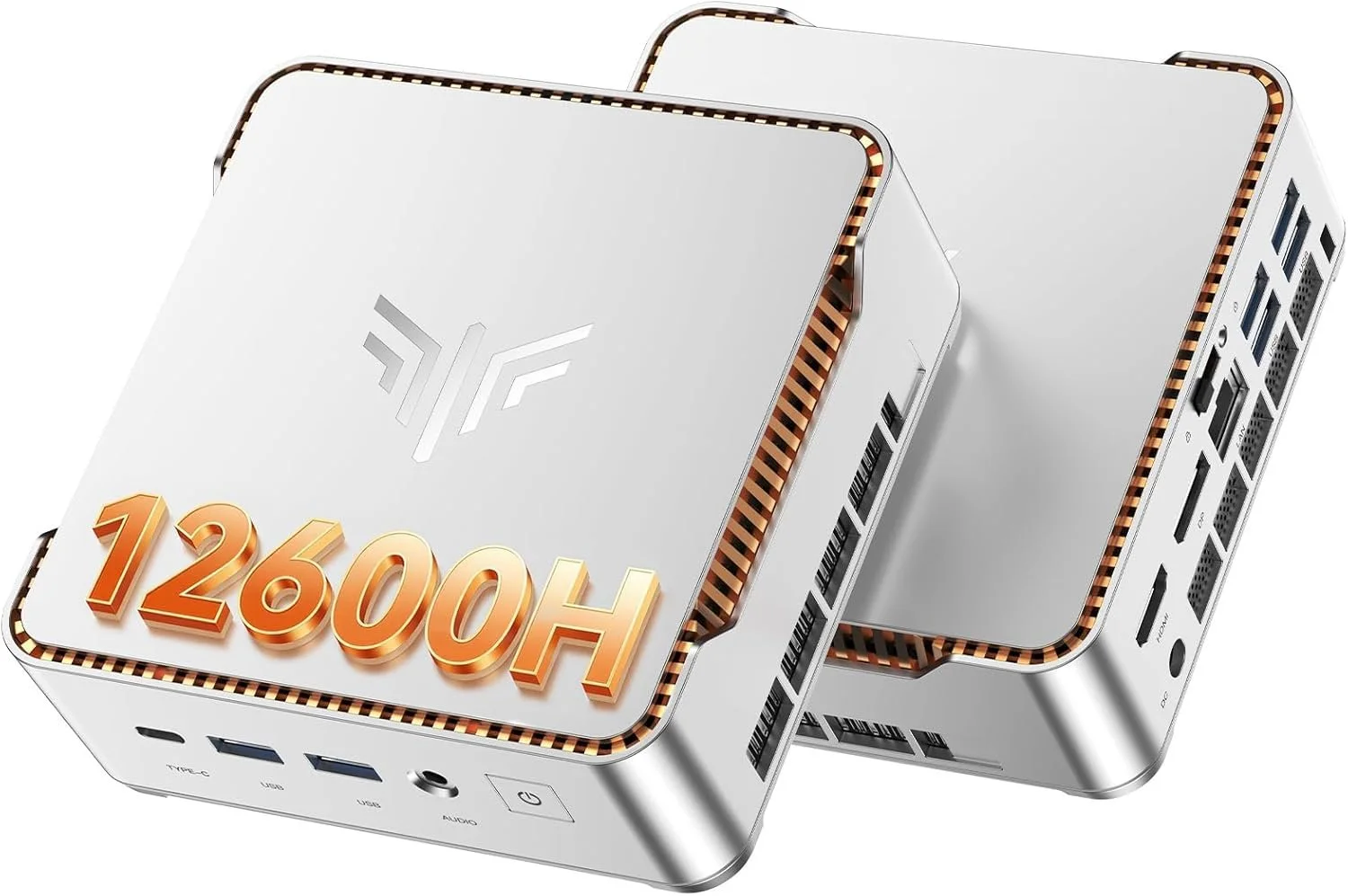
This is not one of those ultra-low-power office boxes. Inside this compact metal chassis is an Intel Core i5-12600H, a 12-core, 16-thread processor that boosts up to 4.5GHz. That is a legitimate laptop-class CPU, and it completely changes what you can expect from a mini PC at this size and price.


Core Specs – KAMRUI Pinova P2 (16GB / 512GB)

  • CPU: Intel Core i5-12600H (12 cores, 16 threads)

  • RAM: 16GB DDR4 dual channel

  • Storage: 512GB NVMe PCIe SSD

  • Graphics: Intel Iris Xe

  • Networking: Wi-Fi 6 + Bluetooth 5.2 + Gigabit Ethernet

  • Display Support: Up to triple 4K @ 60Hz

  • OS: Windows 11 Pro

  • Expandable Storage: Additional M.2 slot

For productivity, homelab use, light gaming, emulation, and content creation, this is a very capable configuration.

Real Performance Expectations

The i5-12600H is the star of the show here. With its hybrid core design, you get strong single-core performance for everyday tasks and plenty of multi-core power for heavier workloads.

This mini PC feels fast in real use:

  • Smooth multitasking with dozens of Chrome tabs

  • Video playback and streaming with zero issues

  • Light photo and video editing

  • Emulation and light gaming

  • Plex server or home server use

  • Office and business workloads

If you are upgrading from an older 8th or 9th gen Intel desktop, you will absolutely feel the jump in responsiveness.

Stability Testing – OCCT Pro Certified

I stress tested this unit using OCCT Pro, running sustained CPU, memory, and power load testing. The system completed extended stress testing with zero errors and earned a System Platinum Stability Certificate.

That means no crashes, no throttling issues, and no instability under heavy load during testing.

You can learn more about OCCT Pro here:
https://www.ocbase.com/occt/pro

For a compact mini PC, passing extended stability testing is a big deal.

Who This Mini PC Is For

This KAMRUI Pinova P2 makes sense for:

  • Home office setups

  • Students who want real performance

  • Homelab builders

  • Plex server users

  • Small business deployments

  • Clean minimalist desk setups

  • Anyone who wants desktop power without a giant tower

It is especially compelling if you want strong CPU performance without stepping into full custom desktop pricing.

Ports and Expandability

You get a very usable port selection, including HDMI, DisplayPort, USB-C, and multiple USB 3.2 ports. It supports up to triple 4K displays at 60Hz, which makes it excellent for productivity and trading setups.

Inside, there is room for storage expansion via an additional M.2 slot, which is always something I look for in mini PCs.

Final Thoughts

The KAMRUI Pinova P2 16GB / 512GB configuration hits a sweet spot.

You get a real 12-core i5 processor, enough RAM for serious multitasking, fast NVMe storage, Wi-Fi 6, Windows 11 Pro, and strong stability under load. In this price bracket, that combination is hard to beat.

If you want something small but legitimately powerful, this is one of the more interesting mini PCs available right now.

Check current price and availability here: https://amzn.to/4kkkq4u