XLink BT HD Review | Cell Calls on Your House Phone
There is something deeply unsatisfying about ending a phone call by tapping a little red circle. A proper receiver has weight. It makes a sound. It lets everybody in the room know the conversation has concluded.
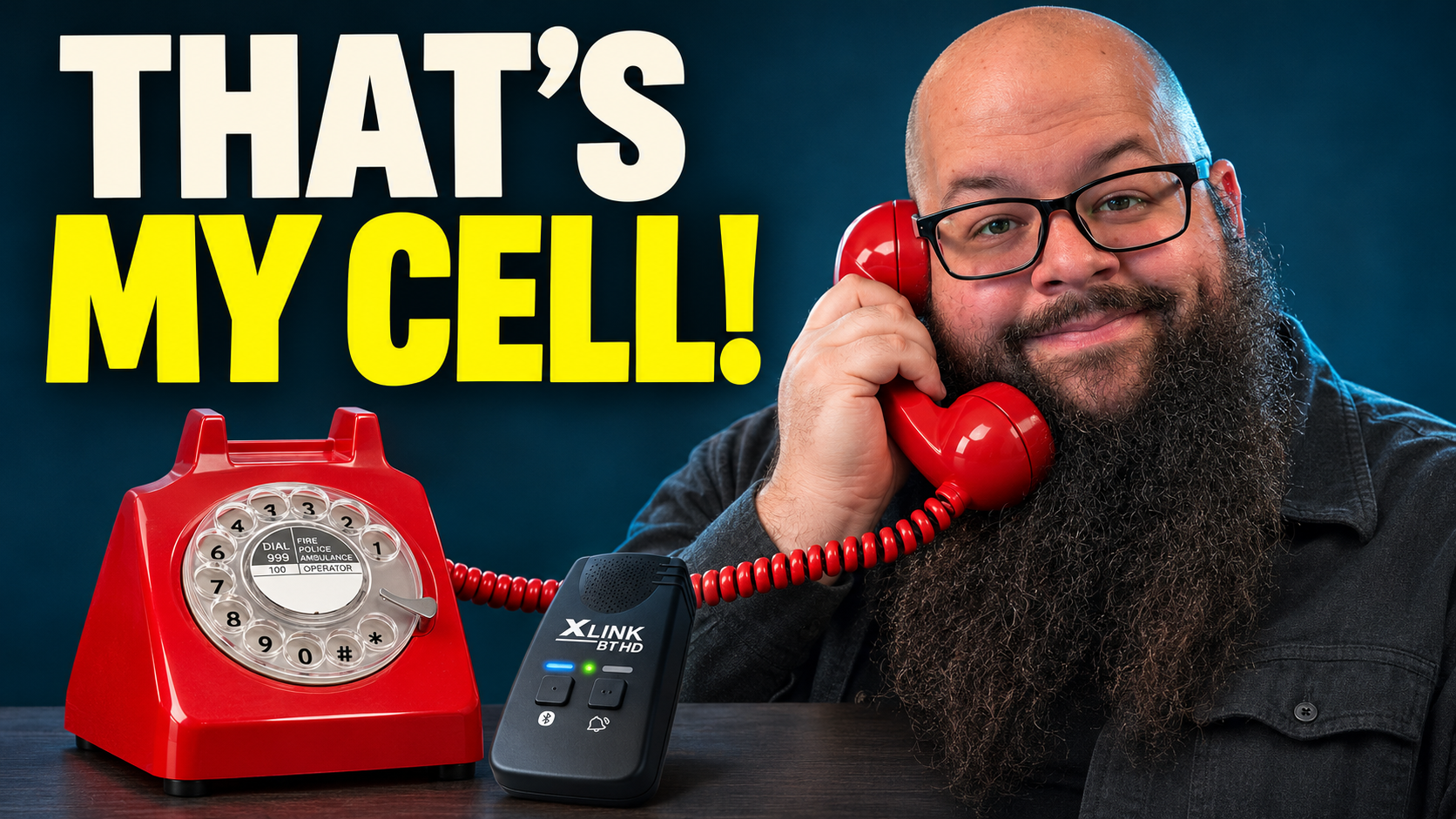
The XLink BT HD appeals to that part of my brain. This small Bluetooth adapter lets you make and receive cell phone calls through a regular home telephone. Your mobile phone provides the connection, and the old handset gets another job.
For me, the practical appeal is being able to put the smartphone down for the evening while still being available when someone calls.
Your cell calls on a familiar handset
The house phone plugs into the XLink, and your mobile phone pairs with it over Bluetooth 5.0. Incoming cell calls ring the connected telephone. Pick up the receiver to answer, or dial from the house phone to place an outgoing call through your mobile.
The calls use your existing mobile service. XLink adds no monthly service fee, although your normal carrier charges still apply.
Whoever calls you gets a perfectly ordinary conversation. You get to conduct that conversation on a telephone that might look completely at home beside a bowl of individually wrapped butterscotch candies.
Setting up the XLink BT HD
The basic setup has four steps.
Connect the XLink to power.
Plug a standard analog telephone directly into its telephone port.
Hold the Bluetooth button until its light flashes rapidly.
Select the XLink in your cell phone’s Bluetooth settings. If it requests a pairing code, use 0000.
Connect the telephone directly to the adapter. XLink specifically warns against connecting its output to a telephone-company landline, because the adapter supplies power to the attached telephone.
After pairing, XLink says the adapter reconnects automatically when the cell phone comes back within range.
Rotary phones are part of the fun
The BT HD supports touch-tone and rotary/pulse dialing, along with the ringing power needed by vintage telephones.
That is the feature that makes me picture the phones people still have tucked away in closets. Maybe it is the kitchen phone from your childhood. Maybe it is a bright red desk phone that makes every conversation feel slightly more important than it deserves to be.
There is something appealing about giving a familiar object a useful place in your day again. A phone can carry a lot of memories, especially if you remember exactly where everybody stood when they used it.
And rotary dialing gives you time to reconsider calling someone. A number full of zeroes is practically a waiting period.
A reason to leave the smartphone on its charger
The part I find most interesting is the possibility of being reachable while keeping the screen out of my hand.
I like the idea of leaving my cell phone charging, sitting down at my desk, and still being able to answer if my wife calls. After the conversation, the receiver goes back on its base. There is a natural stopping point.
That appeals to me because checking one thing on a smartphone can so easily become checking five more things. Somewhere between reading a notification and putting the phone down, a video of a man restoring a toaster enters the situation.
An old telephone gives the call a place to happen. For someone trying to keep the smartphone off the dinner table or spend less time carrying it around the house, I can see the appeal of that little bit of distance.
What to know before buying
The BT HD connects to one cell phone. That is an important limit if several people in the house want to route their mobile calls through the same adapter. The paired phone also needs to stay within Bluetooth range.
The setup depends on power for the XLink and a working mobile connection. Taking the paired cell phone with you takes that call connection with it.
XLink advertises wideband audio, echo cancellation, and noise reduction. The handset and mobile connection also contribute to what you hear.
For updates and advanced configuration, the BT HD has an Online XWizard that works through a supported browser on Windows, Mac, or Android.
Where the price makes sense
XLink’s own store lists the BT HD at $79.99 at the time of writing. That is the manufacturer’s direct price, with shipping and taxes handled separately.
For me, the value depends on whether the house phone would actually get used. Someone who prefers a traditional handset, wants a vintage telephone back in service, or likes having a dedicated spot for calls has a clear reason to consider it.
I would be tempted by the combination of nostalgia and a more deliberate evening routine. Put the smartphone on its charger, answer the house phone when it rings, and give that curly cord something to do again.
What phone would you bring back? The kitchen wall phone, the clear plastic one, or the hamburger phone? If you still have the hamburger phone, I would like photographic evidence.
View the XLink BT HD on Amazon
Visit the official XLink BT HD page